Table of Contents
Picture this. You are managing a busy content team. One person researches the topic. Another writes the first draft. A third reviews it for accuracy. A fourth polishes the language. A fifth checks SEO and publishes.
Nobody does everything. Each person is brilliant at their specific job. Together they produce something none of them could create alone.
Microsoft AutoGen lets you build exactly that kind of team, except the team members are AI agents, they work around the clock, they never get tired, and they cost a fraction of what a human team would.
If you have heard about multi-agent AI but felt it was only for developers with years of experience, this guide will change your mind. It is more accessible than it looks, and by the end of this article you will understand exactly what it is, what it can do, and how to get started even if you have never written a line of code in your life.
What Is Microsoft AutoGen?
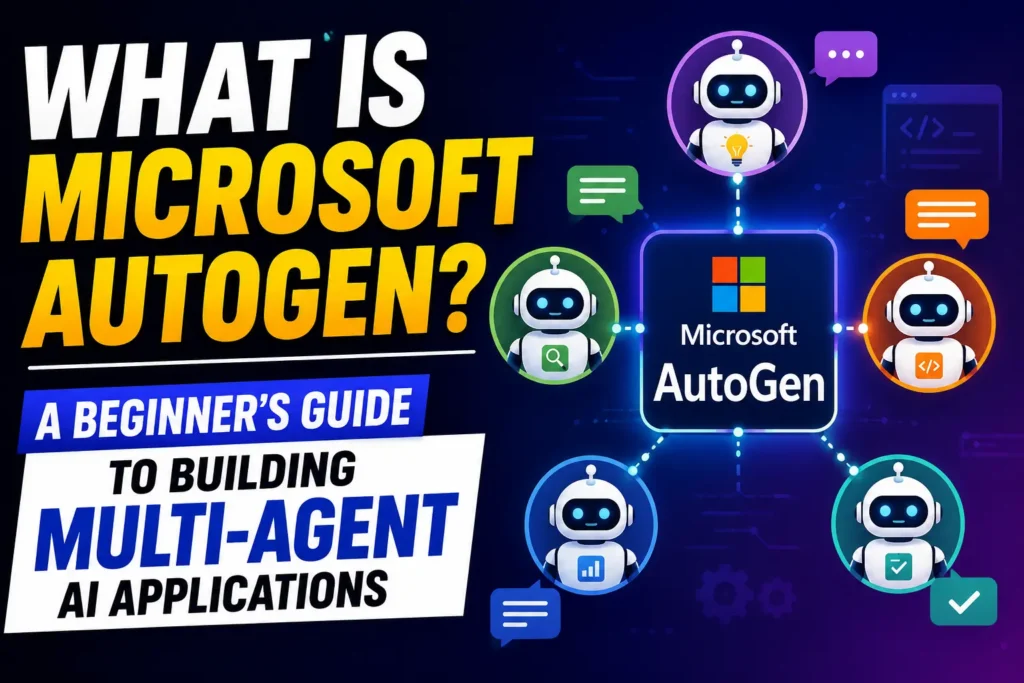
Microsoft AutoGen is an open-source framework developed by Microsoft Research that allows you to build applications where multiple AI agents collaborate, converse, and work together to complete complex tasks.
The word framework might sound technical, but think of it like this. If AI models like Claude or GPT-4 are the engines, Microsoft AutoGen is the vehicle you build around them. It gives the engines a structure, a set of roles, and a way to communicate with each other to get real work done.
What makes it different from just using ChatGPT or Claude on their own is the conversation between agents. With this framework, you can set up two or more AI agents that talk to each other, challenge each other’s thinking, verify each other’s work, and pass outputs between each other until the goal is achieved.
Imagine asking one AI agent to write a business plan and another AI agent to play the role of a critical investor poking holes in it. The back and forth between them produces a far stronger business plan than either agent working alone. That is exactly how it works in practice.
Microsoft released it as open source, meaning anyone can download and use it for free. It has quickly become one of the most popular frameworks in the world for building multi-agent AI applications.
To understand the broader world of multi-agent AI that AutoGen fits within, our multi-agent system guide explains the concept from the ground up.
Why Microsoft AutoGen Matters Right Now
You might be wondering why you should care when tools like ChatGPT and Claude already exist and work well.
Here is the honest answer. Single AI tools are brilliant for individual tasks. You ask a question, you get an answer. But the moment your goal has multiple steps, requires different types of expertise, or needs one output to feed into the next process, a single AI tool hits its limits fast.
AutoGen solves exactly this problem. It lets you chain AI agents together so that complex, multi-step work flows automatically from start to finish without you having to manually copy outputs from one tool and paste them into another.
The three things that make it genuinely exciting for beginners are:
It is free. Microsoft released it as open source. You pay only for the API calls to whichever AI model you connect it to, such as GPT-4 or Claude.
It is flexible. It works with OpenAI, Anthropic Claude, Google Gemini, and open-source models. You are not locked into one AI provider.
It is powerful without being complicated. The core idea is simple. Agents talk to each other. You define who they are and what they do. The framework handles the rest.
How Microsoft AutoGen Works: The Simple Version
Before touching any technical setup, it helps to understand the three core concepts that power every application built with it.
Concept 1: Agents In this framework, an agent is an AI-powered participant in a conversation. Each agent has a name, a role description, and access to tools or capabilities. You might have an agent called Researcher, another called Writer, and another called Editor. Each knows its job and stays focused on it.
Concept 2: Conversations Agents communicate by having structured conversations with each other. One agent produces output. Another agent reads that output, responds, critiques, adds to it, or passes it forward. This back and forth continues until the task is complete or a human approves the result.
Concept 3: Human in the Loop It has a built-in concept called the human proxy agent. This is essentially a placeholder for you, the human, inside the agent conversation. You can configure it to jump in at key points, approve outputs before the workflow continues, or let it run fully automatically and only review the final result.
Think of it like being a manager. You do not do every task yourself. You set up the team, define the roles, and step in only when a decision needs your judgment. AutoGen is the same idea applied to AI agents.
To understand how the large language models powering each agent actually process and generate responses, our large language model guide explains it clearly for beginners.
How to Set Up Microsoft AutoGen: Step by Step
Here is the honest truth about getting started. You do need Python installed on your computer. But installing Python is not coding. It is a five-minute download. And the actual setup is just two commands in your terminal.
Step 1: Install Python Go to python.org and download Python 3.10 or later. Install it like any other software. Tick the box that says “Add Python to PATH” during installation. Done.
Step 2: Install Microsoft AutoGen Open your terminal (on Mac) or command prompt (on Windows) and type:
pip install pyautogenThat is one line. Press enter. AutoGen downloads and installs automatically.
Step 3: Get an API key The framework needs to connect to an AI model to power its agents. The most common choice is OpenAI’s GPT-4. Go to platform.openai.com, create an account, and generate an API key. Keep this key safe and private.
Step 4: Create a config file Tell AutoGen which AI model to use and paste in your API key. This is a simple text file that takes two minutes to set up following the official documentation.
That is the entire setup. No complex installations. No developer environment. No advanced technical knowledge required. If you can install an app on your phone, you can get started.
Your First AutoGen Workflow: Plain English Walkthrough
Let us walk through what happens when you run your first workflow, without getting lost in code.
Imagine you want AutoGen to research a topic and write a short summary for you.
You define two agents. The first is called Researcher and its job is to find information on the topic you give it. The second is called Writer and its job is to take the Researcher’s findings and turn them into a clear, readable summary.
You give the system a starting instruction. Something like: “Research the benefits of walking 10,000 steps a day and write a 200-word summary.”
Here is what happens next:
The Researcher agent receives the goal and begins looking into the topic using its connected tools and knowledge. It produces a structured list of key findings and passes them to the Writer agent.
The Writer agent reads the Researcher’s findings and drafts a clean 200-word summary. It passes the draft back for review.
If you have set up a review step, the Researcher might check the summary for accuracy. If everything looks good, the final output lands in your terminal or output file.
You opened one instruction. Two agents did the work. You received a finished result.
That is the experience at its simplest. Real workflows can involve five, ten, or twenty agents handling different parts of a complex task, but the core logic is always the same.
Real Life Use Case 1: The Solo Business Owner
Meet Priya. She runs a small digital marketing consultancy in Chicago and handles everything herself. Client strategy, content planning, social media, reporting. She is good at her job but constantly overwhelmed.
She sets up an AutoGen workflow with three agents.
Agent 1 is her Research Agent. Every Monday morning it automatically pulls the latest industry news, competitor updates, and trending topics relevant to her clients.
Agent 2 is her Content Agent. It takes the research and drafts five social media post ideas for each client, formatted and ready to review.
Agent 3 is her Report Agent. At the end of each week it pulls her clients’ performance data, compares it to the previous week, and writes a plain-English summary she can send directly to clients.
Priya spends 30 minutes on Monday reviewing the content drafts instead of spending four hours researching and writing from scratch. She sends the weekly reports with a personal note rather than spending Sunday evening writing them.
AutoGen did not replace Priya. It gave her back 15 hours a week to focus on strategy and client relationships, which is what she is actually great at.
Real Life Use Case 2: The University Student
James is a final year student at UCLA studying environmental science. He has a major research paper due and needs to review 40 academic papers, identify common themes, and produce a structured literature review.
Reading 40 papers manually and synthesising them would take weeks. With AutoGen, James sets up a two-agent workflow.
Agent 1 is his Literature Scanner. He uploads all 40 papers as PDFs and the agent reads through them, extracting key arguments, methodologies, findings, and dates from each one.
Agent 2 is his Synthesis Writer. It takes all the extracted information and organises it by theme, identifies areas of agreement and disagreement between researchers, and writes a structured literature review in academic style.
James reviews the draft, adds his own analysis and voice, and has a strong starting point in hours rather than weeks. The workflow handled the information-processing labour. James focused on the intellectual contribution that only he can make.
Real Life Use Case 3: The Small E-commerce Store
Sarah runs a small handmade jewellery store on Etsy and Shopify based in Portland, Oregon. She wants to improve her customer support but cannot afford to hire someone.
She builds a customer support workflow using AutoGen with three agents.
Agent 1 reads every incoming customer message and categorises it. Is it a question about shipping? A return request? A product query? A complaint?
Agent 2 drafts a personalised response based on the category and Sarah’s store policies, which she has uploaded as a reference document.
Agent 3 checks the draft response for tone, accuracy, and brand voice before flagging it for Sarah’s approval or sending it automatically for simple, routine queries.
Sarah now responds to 80 percent of customer messages within minutes instead of checking her inbox three times a day. Her customer satisfaction rating improves. She spends the time she saves designing new pieces instead of typing the same answers over and over.
AutoGen made Sarah’s small business feel like it had a full customer support team, without the cost of hiring one.
Microsoft AutoGen vs CrewAI vs LangChain
You have probably come across CrewAI and LangChain alongside Microsoft AutoGen. Here is how they compare at a glance:
| Microsoft AutoGen | CrewAI | LangChain | |
|---|---|---|---|
| Best for | Agent conversations and debate | Defining team roles clearly | Connecting LLMs to tools and data |
| Beginner friendliness | Moderate | High | Moderate |
| Coding required | Basic Python | Basic Python | Moderate Python |
| Agent communication | Conversational back and forth | Role-based task handoffs | Pipeline and chain based |
| Unique strength | Agents challenging each other | Crew role assignment | Massive tool and integration library |
| Free to use | Yes (open source) | Yes (open source) | Yes (open source) |
The honest advice for beginners: start with Microsoft AutoGen if you want agents that reason together and debate. Choose CrewAI if you want to define team roles very clearly with minimal setup. Use LangChain if your primary need is connecting AI models to external data sources and APIs.
Many advanced users combine all three. AutoGen for agent conversations, LangChain for data connections, and CrewAI for team coordination.
Integrating Microsoft AutoGen With Other Tools
One of the most powerful things about this framework is how well it connects to other tools you might already use. Here is a practical overview of the most useful integrations:
AutoGen with OpenAI GPT-4 The most common setup. GPT-4 powers the agents inside AutoGen, providing strong reasoning, writing, and analysis capabilities. Setup takes about 10 minutes following the official documentation.
AutoGen with Claude (Anthropic) **AutoGen supports Anthropic’s Claude models as the AI backend for your agents. Claude is particularly strong for long document analysis, careful reasoning, and safe outputs. Our Claude tutorial for beginners is a great companion if you choose this route.
AutoGen with web search tools You can connect AutoGen agents to web search capabilities, allowing your Research Agent to pull live information from the internet rather than relying only on training knowledge. This makes your workflows dramatically more current and accurate.
AutoGen with your own documents By combining AutoGen with retrieval augmented generation, your agents can read and reference your own uploaded documents, company policies, product catalogs, or research papers before generating outputs. This is how use cases like James’s literature review become possible.
AutoGen with Make.com and Zapier While AutoGen itself requires Python, you can connect its outputs to no-code automation platforms like Make.com and Zapier to trigger actions in other tools. For example, an AutoGen agent produces a social media post and Zapier automatically schedules it in Buffer.
To understand how prompt quality affects the performance of every agent inside Microsoft AutoGen, our prompt engineering guide will make a meaningful difference to your results.
Benefits and Limitations of Microsoft AutoGen
Benefits:
Free and open source. **AutoGen costs nothing to download and use. You only pay for API usage on the AI model you connect it to.
Model flexibility. Unlike some frameworks that lock you into one AI provider, AutoGen works with OpenAI, Anthropic, Google, and open-source models.
Agent debate improves quality. The agent-to-agent conversation catches errors, challenges assumptions, and produces stronger outputs than single-agent workflows.
Active community. AutoGen has one of the largest and most active communities of any AI framework. There are hundreds of examples, templates, and tutorials available to help beginners get started quickly.
Limitations:
Python is required. You need at least basic comfort with running Python commands. It is not drag and drop like Make.com or Zapier.
API costs add up. Complex workflows with many agents make many API calls. At scale, these costs need to be managed carefully.
Debugging can be tricky. When an agent conversation goes wrong, tracing exactly which agent caused the problem requires patience and good logging practices.
Can be slow for simple tasks. For a simple question, Microsoft AutoGen is overkill. A single Claude or ChatGPT prompt is faster and cheaper.
Frequently Asked Questions About Microsoft AutoGen
What is Microsoft AutoGen in simple terms?
Microsoft AutoGen is a free, open-source framework that lets you build applications where multiple AI agents work together by having conversations with each other. Each agent has a specific role, and they pass work between each other until a complex goal is completed. It is developed by Microsoft Research and works with most major AI models including GPT-4 and Claude.
Do I need coding experience to use Microsoft AutoGen?
You need basic comfort with Python to use Microsoft AutoGen, specifically the ability to install packages and run scripts. You do not need to be a software engineer or understand complex programming concepts. If you can follow a step-by-step guide and are comfortable copying and modifying simple code examples, you can get Microsoft AutoGen running within a day.
Is Microsoft AutoGen free to use?
Yes. Microsoft AutoGen itself is completely free and open source. You will pay for the API calls to whichever AI model powers your agents, such as GPT-4 or Claude. For light personal use, these costs are minimal, typically a few dollars per month. For high-volume production use, API costs need to be factored into your budget.
What can you build with Microsoft AutoGen?
With Microsoft AutoGen you can build research assistants that gather and synthesise information, content teams that research, write, review, and publish automatically, customer support bots that handle routine queries, code review systems where agents check each other’s work, data analysis pipelines that process and report on information, and much more. Any complex multi-step task with distinct phases is a good candidate.v
How is Microsoft AutoGen different from ChatGPT?
ChatGPT is a single AI that you interact with directly through a chat interface. Microsoft AutoGen is a framework for building systems where multiple AI agents interact with each other automatically to complete complex goals. You use Microsoft AutoGen to build applications. ChatGPT is itself an application. They serve very different purposes and can actually work together, with GPT-4 powering the agents inside your Microsoft AutoGen system.
Which AI models work with Microsoft AutoGen?
Microsoft AutoGen works with OpenAI models including GPT-4 and GPT-4o, Anthropic Claude models, Google Gemini, Mistral, and a range of open-source models hosted locally or via services like Hugging Face. This flexibility means you can choose the model that best fits your use case, budget, and data privacy requirements.
How does Microsoft AutoGen compare to CrewAI?
Both are multi-agent frameworks but with different strengths. Microsoft AutoGen excels at agent-to-agent conversation and debate, where agents challenge and verify each other’s outputs. CrewAI excels at clearly defined role assignment, where each crew member has a specific job and task handoffs are very structured. Many developers use both together, choosing Microsoft AutoGen for reasoning-heavy tasks and CrewAI for production workflows with clear team structures.
Where can I learn more about Microsoft AutoGen?
The best starting point is the official Microsoft AutoGen documentation and the Microsoft AutoGen GitHub repository which has dozens of example notebooks for beginners. The AutoGen Discord community is also very active and helpful for anyone just getting started. For the broader context of where Microsoft AutoGen fits in the AI landscape, our agentic AI guide provides the perfect foundation.
Explore more articles AI Agents Blogs
12 Proven Ways to Make Money With AI That Actually Work
Claude AI to Earn Money Guide: 4 Proven Ways That Actually Work
Top 100 AI Words You Need to Know: Complete AI Glossary