Table of Contents
Every QA tester eventually asks the same question. Playwright vs Selenium, which one should you actually learn and use on a real project? In a Playwright vs Selenium head to head, both tools can automate a browser, click a button, and check that text appears on screen. But the way they do it, and how much friction you feel every single day, is very different.
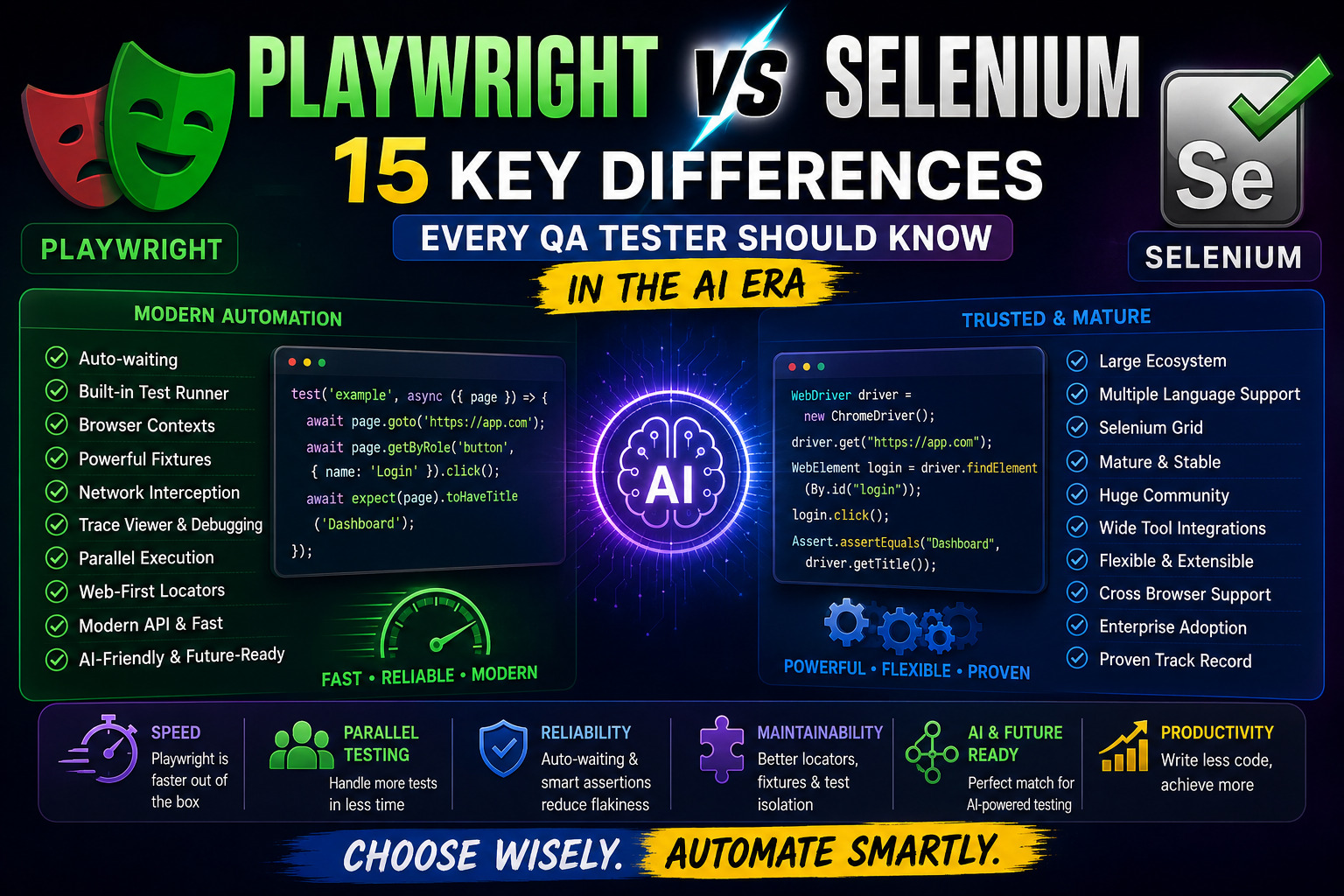
This guide breaks the Playwright vs Selenium comparison into two parts. First, 15 practical Playwright vs Selenium differences that shape your daily automation work, explained in plain English with real examples. Second, a full reference table covering 30 plus smaller differences so you have one page to check whenever a question comes up. If you already know the Playwright automation testing fundamentals, this article will help you explain, in interviews or to your team, exactly why Playwright feels faster to work with.
Before jump in to full article explore these related articles
Playwright Locators Tutorial with Examples: Use AI to Build Better Test Automation
Playwright Page Object Model Tutorial: Build a Scalable Test Framework with AI
Playwright API Testing Tutorial: Test REST APIs with JavaScript and AI
Top Playwright Interview Questions: JavaScript, TypeScript, and AI-Powered Testing
1. Architecture and Browser Communication
The Playwright vs Selenium story starts with architecture, because everything else follows from it. Selenium talks to the browser through the WebDriver protocol, an HTTP based standard where every command is a separate request and response. Playwright connects directly to the browser using the Chrome DevTools Protocol style connection, sending commands over a single persistent WebSocket, which is the root cause of most speed differences in the Playwright vs Selenium comparison.
For a tester, this shows up as speed. Selenium scripts often feel like they are waiting on the network for every click. Playwright feels closer to controlling the browser from the inside, which is why suites that took minutes in Selenium often finish in a fraction of that time in Playwright.
2. Auto Waiting
This is one of the most talked about points in any Playwright vs Selenium discussion. Selenium does not wait for an element to be ready before acting on it. Testers add explicit waits, implicit waits, or custom wait helpers, and when those are missing or wrong, you get the classic flaky test.
Playwright builds waiting into every action. Before it clicks, types, or checks a box, it waits for the element to be visible, stable, and able to receive events. You still need to understand timeouts, but you write far fewer manual wait statements, and your tests fail less often for reasons that have nothing to do with your product.
3. Locators
Selenium locators are typically static references, found once with a find element call. If the page changes between finding the element and acting on it, you get a stale element error, a familiar frustration for anyone who has tested a dynamic page.
Playwright locators are lazy and re evaluated every time you use them. A Playwright locator describes how to find an element, not a fixed reference to one, so the page can change and the locator still finds the current version. This single design choice removes a large category of Selenium’s most common failures, and it is one of the clearest wins in the Playwright vs Selenium comparison.
4. Assertions
Selenium does not ship its own assertion library, so testers usually pair it with JUnit, TestNG, or a similar framework, and assertions check the current state only, at the exact moment they run.
Playwright includes built in web first assertions that automatically retry until a condition is true or a timeout is reached. Instead of asserting that text exists right now, you assert that text will exist, and Playwright keeps checking until it does or the timeout expires. This removes another common source of flaky failures and is a small but telling detail in the wider Playwright vs Selenium comparison.
Playwright Assertions Tutorial with Examples: Validate Your Tests with AI
5. Test Isolation
In Selenium, keeping tests independent is largely your responsibility. Shared browser sessions, leftover cookies, or state from a previous test can quietly leak into the next one if you are not careful with setup and teardown.
Playwright gives each test a fresh browser context by default, similar to a private browsing window with its own cookies, storage, and cache. Tests do not interfere with each other unless you deliberately share state, which makes suites more predictable and easier to run in parallel, another practical edge in the Playwright vs Selenium comparison.
6. Fixtures
Selenium projects typically rely on framework level setup, such as JUnit’s before and after annotations or TestNG’s configuration methods, to prepare data and browser state before each test.
Playwright has a built in fixture system that can inject a logged in page, test data, or an API context directly into a test function. Fixtures can depend on each other, scope to a test or a worker, and be overridden per project, giving testers a more structured and reusable way to prepare state than most Selenium setups, a difference worth noting in any Playwright vs Selenium comparison of test architecture.
Playwright Fixtures Tutorial: The Complete Guide to Scope, Dependencies, and AI
7. Parallel Execution
Selenium can run tests in parallel, but it usually needs extra tooling such as Selenium Grid, TestNG parallel configuration, or a cloud grid provider to coordinate multiple browsers cleanly.
Playwright runs tests in parallel out of the box, splitting them across multiple workers with no extra infrastructure required for a single machine or CI runner. For most small and mid sized teams, this removes an entire layer of setup that Selenium projects often need, and it is one of the more immediate speed gains in the Playwright vs Selenium comparison.
8. Browser Contexts and Multi User Testing
This is a point where the Playwright vs Selenium gap becomes very practical. Selenium testers who need to simulate two logged in users at once typically open two separate browser instances, which is heavier on memory and slower to start.
Playwright’s browser contexts let you open several isolated sessions inside a single browser instance, each with its own cookies and storage. Testing a chat feature between two users, or an admin and a regular user, becomes a matter of opening two contexts rather than launching two full browsers.
9. Authentication and Session Management
Logging in before every test is a common Selenium pattern, and it adds real time to a suite when dozens or hundreds of tests each start from a login page.
Playwright supports saving authenticated state to a file once, then reusing it across many tests and even across projects, so most tests can start already logged in. Combined with fixtures, this turns authentication from a repeated step into a one time setup cost, saving real time in any Playwright vs Selenium speed comparison.
10. Network Interception and Mocking
Selenium has no native way to intercept or modify network traffic. Testers who need to mock an API response usually reach for a separate proxy tool or a browser extension, adding complexity outside the test framework itself.
Playwright can intercept, modify, block, or fake any network request directly from the test script. You can simulate a slow API, a failed payment call, or an empty search result without touching a real backend, which makes edge case testing far more accessible, and it is a capability gap that shows up quickly in a Playwright vs Selenium trial.
11. Multiple Tabs, Pages and Popups
Handling a new tab or a popup window in Selenium usually means switching window handles, a pattern that works but often feels error prone, especially when timing is involved.
Playwright treats each tab or popup as its own page object that you can wait for directly, with a clear event for when a new page opens. Testing a download that opens in a new tab, or an OAuth popup, tends to be more predictable in Playwright as a result, a small but real convenience in the Playwright vs Selenium comparison.
12. Debugging and Trace Viewer
Debugging a failed Selenium test often means adding print statements, screenshots, or stepping through with a debugger, then guessing at what the browser actually looked like at the moment of failure.
Playwright’s Trace Viewer records a full timeline of a test run, including screenshots, network activity, console logs, and DOM snapshots for every action. When a test fails in CI, you can open the trace and effectively replay the run step by step, which is a significant advantage for diagnosing flaky or one off failures, and often the single biggest reason testers cite when asked about Playwright vs Selenium debugging experience.
13. Test Runner and Project Configuration
Selenium is a browser automation library, not a test runner, so testers pair it with JUnit, TestNG, pytest, or another framework to actually organise and run tests.
Playwright ships with its own test runner, Playwright Test, which handles parallelisation, retries, reporting, and multi browser projects in one configuration file. A single config can define separate projects for Chrome, Firefox, Safari, and mobile viewports, all runnable with one command, which simplifies the tooling side of the Playwright vs Selenium decision considerably.
14. Browser and Device Coverage
Selenium supports a very wide range of real browsers and versions through WebDriver, which remains one of its strengths for teams that need coverage of older or less common browsers.
Playwright supports Chromium, Firefox, and WebKit, giving Safari like coverage on any operating system, plus built in device emulation for mobile viewports, geolocation, and permissions. For most modern web products this is enough, though teams needing legacy Internet Explorer or very specific real device coverage may still lean on Selenium or a device cloud, one of the few areas where the Playwright vs Selenium comparison favours Selenium outright.
15. AI, Self Healing and Test Maintenance
The newest chapter in the Playwright vs Selenium comparison is how each ecosystem is adapting to AI assisted testing. Selenium’s AI tooling mostly comes from third party self healing plugins and commercial platforms layered on top of the core library.
Playwright’s design already reduces flakiness before AI enters the picture, and its structured trace and snapshot data make it a strong fit for AI assisted maintenance, from auto generated locators to AI powered test analysis and self healing selectors. Teams experimenting with AI in their test suites often find Playwright’s data rich output easier to feed into an AI workflow than Selenium’s more fragmented tooling.
Playwright vs Selenium in Practice: What This Means for Your Suite
Reading through these 15 differences, a clear pattern emerges in the Playwright vs Selenium comparison. Selenium’s flexibility comes from being a lower level browser automation library that you assemble into a framework yourself. Playwright’s speed comes from making opinionated decisions for you, auto waiting, isolation, and a built in test runner, so you spend less time on plumbing and more time writing tests that matter.
Neither answer to Playwright vs Selenium is universally correct. Teams with deep existing Selenium suites, strict legacy browser requirements, or large investments in Selenium Grid infrastructure often have good reasons to stay. Teams starting fresh, especially ones planning to bring AI into their testing workflow, increasingly settle the Playwright vs Selenium question in Playwright’s favour for the reasons above.
To keep exploring the Playwright vs Selenium topic, the locators tutorial, fixtures tutorial, and page object model guide each expand on one of the differences covered here.
Playwright vs Selenium: Complete Feature Comparison
| Feature | Playwright | Selenium |
|---|---|---|
| Installation | Single package with browsers bundled | Separate driver binaries per browser |
| Language support | JavaScript, TypeScript, Python, Java, .NET | Nearly every major language via bindings |
| Browser drivers | Not required, browsers are bundled | Required, managed separately |
| Selenium Manager | Not applicable | Automates driver management since Selenium 4 |
| WebDriver BiDi | Not used, has its own protocol | Emerging support for the new bidirectional protocol |
| Browser contexts | Native, lightweight, isolated per test | Not available, separate browser instances used instead |
| Frames | Direct locator access across frames | Requires explicit frame switching |
| Downloads | Built in download event handling | Requires browser specific configuration |
| Uploads | Simple file input handling | Similar, via send keys to file input |
| Screenshots | Built in, including full page and element level | Built in, similar capability |
| Video recording | Built in per test | Requires third party tooling |
| Geolocation | Built in emulation | Requires browser specific capabilities |
| Permissions | Built in emulation for camera, location, notifications | Requires browser specific capabilities |
| Cookies | Simple API via browser context | Available via WebDriver API |
| Local storage | Direct access via context and page APIs | Requires JavaScript execution |
| Session storage | Direct access via context and page APIs | Requires JavaScript execution |
| Proxy support | Built in, configurable per context | Supported via capabilities |
| HTTP credentials | Built in support | Supported via capabilities |
| Mobile emulation | Built in device presets | Limited, mostly via Chrome DevTools protocol extras |
| Device emulation | Extensive built in device list | Minimal, mostly viewport resizing |
| Network mocking | Built in request interception | Requires external proxy tools |
| API testing | Built in request context | Not native, needs separate HTTP client |
| WebSockets | Can be intercepted and inspected | Not natively supported |
| Test retries | Built in at the test runner level | Depends on the paired test framework |
| Timeouts | Configurable globally and per action | Configurable but more manual |
| Projects | Native multi project configuration | Not applicable, handled by test framework |
| Tags | Built in test tagging and filtering | Depends on the paired test framework |
| Annotations | Built in skip, fixme, and slow annotations | Depends on the paired test framework |
| Reporting | Built in HTML reporter plus plugins | Depends on the paired test framework |
| CI/CD integration | Straightforward, official actions and Docker images | Well established, broad ecosystem support |
| Docker usage | Official lightweight images available | Widely supported, more setup typically needed |
| Cloud testing | Supported by most major cloud test platforms | Supported by nearly all cloud test platforms |
| Grid or distributed execution | Built in workers, sharding across CI machines | Selenium Grid, a mature but separate component |
| Community and ecosystem | Newer but rapidly growing | Long established, the largest automation community |
| Migration considerations | Learning curve for teams used to WebDriver patterns | Larger, more mature body of existing tests to maintain |
| AI assisted testing | Rich trace and snapshot data, strong AI tooling fit | Depends mostly on third party AI plugins |
| Self healing | Emerging native and community tooling | Mostly commercial third party add ons |
Frequently Asked Questions
Is Playwright better than Selenium?
In most day to day Playwright vs Selenium comparisons, Playwright is faster to write tests in and produces fewer flaky failures thanks to auto waiting and isolation. Selenium still wins on raw browser and language coverage. The right choice depends on your team’s existing investment and browser requirements.
Can Playwright replace Selenium completely?
For most modern web applications, yes, and in a practical Playwright vs Selenium comparison Playwright can cover the same ground. Teams needing very old browser support, such as legacy Internet Explorer, or deep integration with an existing Selenium Grid, may keep Selenium for those specific cases.
Is Selenium still worth learning in the AI era?
Yes. Selenium remains widely used in enterprise codebases, and understanding WebDriver concepts helps you work with existing suites and appreciate what Playwright automates away, which is a useful lens for any Playwright vs Selenium learning path.
Does Playwright support all browsers Selenium supports?
Not quite, and browser coverage is one of the clearer gaps in the Playwright vs Selenium comparison. Playwright covers Chromium, Firefox, and WebKit, which handles the vast majority of real world traffic, but it does not support legacy Internet Explorer, which Selenium still can through WebDriver.
How steep is the learning curve moving from Selenium to Playwright?
Most testers pick up Playwright’s core concepts within a few days, since locators, assertions, and test structure map closely across the Playwright vs Selenium divide. The bigger shift is trusting auto waiting instead of writing manual waits.
Which tool fits better into an AI assisted testing workflow?
On this specific point, the Playwright vs Selenium gap favours Playwright. Its structured trace data, snapshots, and built in reporting make it easier to feed into AI powered analysis or self healing tools, though both ecosystems are adding AI features quickly.
Explore more articles from AI blogs AI Learning Hub, AI tools pagesubscribe to AI Pathway Lab AI for Testers
Explore Top Playwright Interview Questions: JavaScript, TypeScript, and AI-Powered Testing
- Prompt Engineering Guide – The Skill That Makes You 10x Faster
- What Are AI Agents? Complete Beginner Guide 2026
- 12 Proven Ways to Make Money With AI That Actually Work
- Claude AI to Earn Money Guide: 4 Proven Ways That Actually Work
- Free AI Courses with Certificate in 2026
- AI Test Case Generation Guide for QA Engineers Using ChatGPT and Claude
3 Proven Ways AI Accelerates Software QA Workflows
Automation with AI, Write Test Scripts 10x Faster in 2026
AI Workflows for QA Automation, How to Integrate
Explore AI Automation & Workflows
Further Reading
Playwright official documentation Selenium WebDriver getting started guide Selenium’s guide to WebDriver BiDi