Table of Contents
Introduction
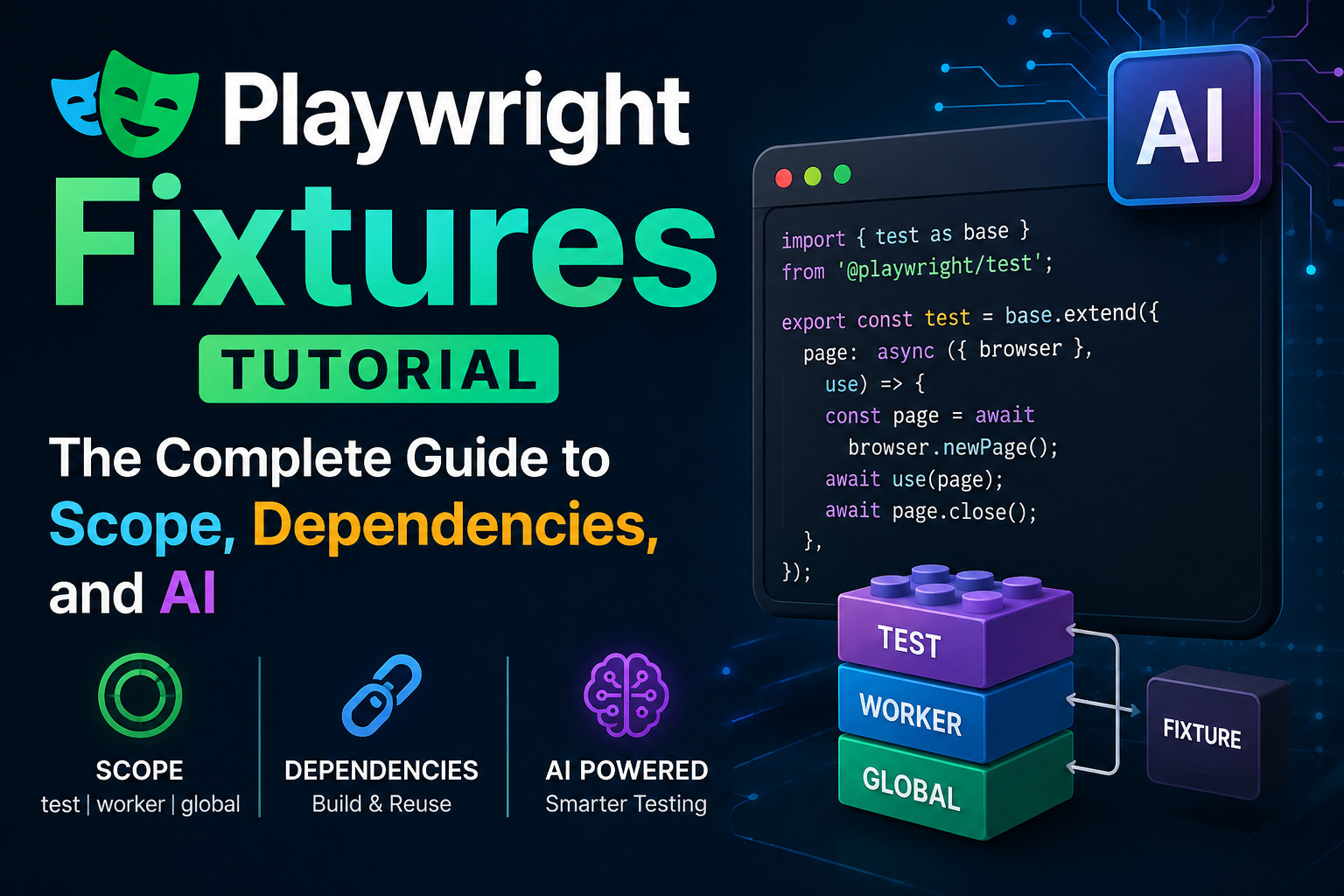
Playwright Fixtures, The Playwright Test Automation Framework Structure: Build a Scalable Setup with AI earlier in this series covered one custom fixture, authenticatedPage, as part of a broader look at project structure. That single example barely scratches the surface of what Playwright’s fixture system actually does. This Playwright fixtures tutorial goes considerably deeper: test-scoped versus worker-scoped fixtures and the real tradeoffs between them, fixtures that depend on other fixtures, automatic fixtures that run without being requested, overriding Playwright’s own built-in page and context fixtures, and parameterized fixture options that make the same fixture configurable per test or per project.
Fixtures are, without much exaggeration, the single most powerful organizing concept in a Playwright suite once it grows past a handful of tests. Understanding them well is the difference between a framework that scales cleanly and one where the same setup logic gets copy-pasted into dozens of files, quietly drifting out of sync every time it needs to change.
Playwright Automation Testing with AI: Complete JavaScript & TypeScript Framework From Scratch
Playwright Locators Tutorial with Examples: Use AI to Build Better Test Automation
Playwright Page Object Model Tutorial: Build a Scalable Test Framework with AI
Playwright Assertions Tutorial with Examples: Validate Your Tests with AI
Playwright API Testing Tutorial: Test REST APIs with JavaScript and AI
Top Playwright Interview Questions: JavaScript, TypeScript, and AI-Powered Testing
What a Playwright fixtures Actually Is
A Playwright fixtures is a named, reusable piece of setup and teardown logic that Playwright hands to a test through dependency injection. Rather than a test manually preparing its own environment at the top of every function, it simply asks for a fixture by name as a parameter, and Playwright resolves everything that fixture needs, runs the setup, hands over the result, and runs the teardown afterward.
javascript
const { test, expect } = require('@playwright/test');

test('dashboard loads for a logged-in user', async ({ page }) => {
  await page.goto('/dashboard');
  await expect(page.getByRole('heading', { name: 'Welcome back' })).toBeVisible();
});
page is itself a fixture, one of several Playwright provides out of the box, along with context, browser, and request. Every custom fixture built throughout this Playwright fixtures tutorial works the same way, just with setup and teardown logic a project defines itself.
Built-in Fixtures vs Custom Fixtures
Playwright’s built-in fixtures, page, context, browser, and request, are available in every test automatically, without any setup. They are designed for safe parallel execution and reset automatically between tests, which is why most tests never need to think about them beyond simply requesting the ones they need.
Custom fixtures, created with test.extend(), are how a project encapsulates its own reusable setup, an authenticated session, seeded test data, an API client configured with the right headers, without duplicating that logic across every test file. This Playwright fixtures tutorial focuses mainly on custom fixtures, since that is where most of the real design decisions and mistakes happen.
Test-Scoped vs Worker-Scoped Fixtures
This is the single most consequential decision in designing a fixture, and it is worth understanding thoroughly rather than picking a scope by guesswork.
Test-scoped Playwright fixtures are the default. They run fresh before each test that requests them and tear down immediately after, giving every test full isolation from every other test. This is the safe default, and it should stay the default unless there is a specific, deliberate reason to change it.
javascript
const base = require('@playwright/test');

exports.test = base.test.extend({
  cartWithItem: async ({ page }, use) => {
    await page.goto('/cart');
    await page.getByRole('button', { name: 'Add sample item' }).click();
    await use(page);
  },
});
Worker-scoped Playwright fixtures run once per worker process and are reused across every test that worker executes, rather than being recreated for each individual test. This is set with the tuple syntax and a scope: 'worker' option.
javascript
exports.test = base.test.extend({
  apiClient: [async ({}, use) => {
    const client = await createApiClient({ baseURL: process.env.API_URL });
    await use(client);
    await client.dispose();
  }, { scope: 'worker' }],
});
The practical rule of thumb worth internalizing from this Playwright fixtures tutorial: worker-scope a fixture only when its setup is genuinely expensive, more than a second or two, and the resource is either read-only or safely shareable across tests running in the same worker. Database connections, API clients, and authentication tokens are common good candidates. Anything a test mutates, cart contents, form state, records a test creates and expects to control exclusively, belongs in test scope regardless of how expensive it feels to set up. Sharing mutable state across tests through a worker-scoped fixture is a reliable way to produce tests that pass locally and fail unpredictably in CI, since one test’s leftover state silently affects the next.
One more practical detail worth knowing: worker-scoped resources multiply by however many workers a suite runs with. A worker-scoped database connection combined with ten parallel workers means ten open connections at once, which matters directly if a database connection pool has a lower limit than that.
Fixture Dependency Chains
Fixtures can depend on other Playwright fixtures, and Playwright resolves that dependency graph automatically, setting up every required fixture in the correct order before the one that needs them, and tearing them down in reverse order afterward.
javascript
exports.test = base.test.extend({
  apiContext: async ({ request }, use) => {
    const context = await request.newContext({ baseURL: process.env.API_URL });
    await use(context);
    await context.dispose();
  },

  seededProduct: async ({ apiContext }, use) => {
    const response = await apiContext.post('/products', {
      data: { name: 'Test Product', price: 25 },
    });
    const product = await response.json();
    await use(product);
    await apiContext.delete(`/products/${product.id}`);
  },
});
javascript
test('product page shows the correct price', async ({ page, seededProduct }) => {
  await page.goto(`/products/${seededProduct.id}`);
  await expect(page.getByText('$25')).toBeVisible();
});
Requesting seededProduct here automatically triggers apiContext to be set up first, since seededProduct depends on it. Teardown runs in the opposite order, seededProduct cleans up the product it created before apiContext disposes of the underlying request context. This composition is what lets a Playwright fixtures tutorial-style setup stay declarative. Nothing in the test itself manually orchestrates any of this ordering.
Automatic Fixtures
Some setup needs to happen for every test, without a test having to remember to request it. Automatic Playwright fixtures, defined with { auto: true }, run for every test in scope regardless of whether the test lists them as a parameter.
javascript
exports.test = base.test.extend({
  attachLogsOnFailure: [async ({}, use, testInfo) => {
    const logs = [];
    const originalLog = console.log;
    console.log = (...args) => {
      logs.push(args.join(' '));
      originalLog(...args);
    };

    await use();

    console.log = originalLog;
    if (testInfo.status !== testInfo.expectedStatus) {
      await testInfo.attach('console-logs', {
        body: logs.join('\n'),
        contentType: 'text/plain',
      });
    }
  }, { auto: true }],
});
This automatically captures console output and attaches it to the test report, but only when a test actually fails. Automatic Playwright fixtures are well suited to exactly this kind of cross-cutting concern, logging, performance tracking, screenshot capture on failure, but they come with a real tradeoff worth naming directly in this Playwright fixtures tutorial: because they run invisibly, without appearing in any test’s parameter list, overusing them makes a suite harder to reason about. A test failing for a reason buried inside an auto fixture nobody remembers exists is a debugging session that takes far longer than it should. Use them sparingly, and name them clearly enough that their purpose is obvious from the fixture list alone.
Overriding Built-in Fixtures
Playwright’s own page, context, and browser fixtures can be overridden with the same test.extend() mechanism used for custom fixtures, which is one of the more powerful and underused patterns in the whole system.
A common real use case: sharing one authenticated account per worker, then automatically logging into that account for every test in the worker, without any test having to handle login itself.
javascript
exports.test = base.test.extend({
  account: [async ({}, use, workerInfo) => {
    const account = await createAccountForWorker(workerInfo.workerIndex);
    await use(account);
    await deleteAccount(account);
  }, { scope: 'worker' }],

  page: async ({ page, account }, use) => {
    await page.goto('/login');
    await page.getByLabel('Email address').fill(account.email);
    await page.getByLabel('Password').fill(account.password);
    await page.getByRole('button', { name: 'Login' }).click();
    await use(page);
  },
});
Every test in this file now receives an already-authenticated page automatically, simply by requesting page the normal way, exactly as shown in the very first example in this Playwright fixtures tutorial. The test itself never mentions login at all.
javascript
test('user can view their order history', async ({ page }) => {
  await page.goto('/orders');
  await expect(page.getByRole('heading', { name: 'Order History' })).toBeVisible();
});
workerInfo.workerIndex guarantees each parallel worker gets its own unique account, avoiding the exact kind of shared mutable state warned against in the scope section above. This same override pattern, using context instead of page, is also the standard way to load a previously saved storageState once per worker rather than logging in through the UI for every single test.
Parameterized Fixture Options
Sometimes a fixture needs to behave slightly differently across different tests or projects, without duplicating the whole fixture. Playwright supports this through option fixtures, declared with a default value and { option: true }.
javascript
exports.test = base.test.extend({
  defaultItem: ['Wireless Mouse', { option: true }],

  cartPage: async ({ page, defaultItem }, use) => {
    await page.goto('/cart');
    await page.getByRole('button', { name: `Add ${defaultItem}` }).click();
    await use(page);
  },
});
A specific test file, or even a single test, can override that default using test.use(), without touching the fixture definition itself.
javascript
test.use({ defaultItem: 'Mechanical Keyboard' });

test('cart reflects the configured item', async ({ cartPage }) => {
  await expect(cartPage.getByText('Mechanical Keyboard')).toBeVisible();
});
This pattern is also what powers project-level configuration in playwright.config.js, letting the same fixture behave differently across a mobile project versus a desktop project, for instance, without maintaining two separate fixture implementations.
Combining Worker Scope and Test Scope Together
The most effective real-world fixture designs, and one of the more advanced patterns worth knowing from this Playwright fixtures tutorial, layer a worker-scoped base resource underneath a test-scoped wrapper that handles per-test isolation on top of it.
javascript
exports.test = base.test.extend({
  dbConnection: [async ({}, use) => {
    const connection = await connectToTestDatabase();
    await use(connection);
    await connection.close();
  }, { scope: 'worker' }],

  isolatedTransaction: async ({ dbConnection }, use) => {
    const transaction = await dbConnection.beginTransaction();
    await use(transaction);
    await transaction.rollback();
  },
});
The expensive part, the database connection itself, is set up once per worker and reused. The part that actually needs isolation, the transaction each test runs inside, is test-scoped and rolled back after every test, giving each test a clean slate without paying the full connection setup cost every single time. This combination is frequently the best of both worlds for anything backed by a real database or external service.
Naming and Organizing Fixtures
A few conventions consistently separate a fixture file that stays readable from one that becomes its own debugging challenge.
Name fixtures after what they provide, not what they do. seededProduct communicates its purpose immediately. setupProduct does not, and tends to accumulate unrelated side effects over time since its name never constrains what it is supposed to be responsible for.
Every fixture that mutates state needs an explicit, awaited teardown. Skipping the cleanup half after await use() is one of the most common sources of test pollution covered in the mistakes section below.
If something is used in exactly one test, it is a helper function, not a fixture. Fixtures exist to share setup across multiple tests. A single-use fixture adds indirection without earning its keep.
Use the title and box fixture options for anything reported to users. A fixture can be given a human-readable title so it shows up clearly in the HTML report and Trace Viewer rather than as anonymous setup, and box: true can hide a noisy, low-signal plumbing fixture from that same report while still surfacing genuine failures. This level of polish is optional, but it meaningfully improves how readable a failing CI run is for whoever debugs it next.
Common Playwright Fixtures Mistakes
Worker-scoping a mutable resource. Sharing state that one test can change across every other test in that worker is one of the fastest ways to introduce tests that pass in isolation and fail when run together.
Heavy setup left at test scope. A two-second fixture running fresh for every one of a thousand tests adds up to real, avoidable CI time. If the underlying resource is read-only or safely shareable, worker scope is usually the fix.
Using fixtures as page objects. Fixtures are for high-level setup, authentication, test data, environment configuration, not for wrapping every locator on a page. That responsibility belongs to the Page Object Model pattern covered in the POM tutorial earlier in this series.
Missing or unawaited teardown. A fixture that creates a database record, an account, or a file and never cleans it up slowly pollutes a shared test environment, the same problem covered in the API testing tutorial’s common mistakes section, just triggered through a fixture instead of a raw test.
Overusing automatic fixtures. Every { auto: true } fixture is invisible in a test’s parameter list. A handful of well-named ones are manageable. A dozen scattered across a codebase turns “why did this test fail” into a much longer investigation than it needs to be.
Using AI to Audit Fixtures
The Framework Structure article earlier in this series covered using AI to generate a fixture from a description of repeated setup. This Playwright fixtures tutorial closes with a different, complementary use: auditing fixtures that already exist, which is where a lot of real fixture debt quietly accumulates.
Detecting scope misconfiguration. Pointing an AI assistant at a fixtures file and asking it to flag any worker-scoped fixture that appears to hold mutable, test-specific state is a fast way to surface exactly the kind of shared-state bug covered in the mistakes section above, before it causes a flaky test that takes hours to trace back to its source.
Finding missing or incomplete teardown. Reviewing a fixture file for any fixture that creates a resource without a matching cleanup step after await use() is a mechanical, pattern-matching task AI assistants handle well, especially across a large file most engineers only skim.
Spotting fixture bloat and duplication. Asking an AI assistant to review several fixture files for near-duplicate setup logic, two fixtures doing almost the same thing with slightly different names, is a practical way to find consolidation opportunities in a suite that has grown organically over time.
As with every AI-assisted step covered elsewhere in this series, suggestions here still need review. A scope change in particular affects every test that depends on that fixture, which makes this exactly the kind of change worth double-checking rather than merging on the strength of an AI suggestion alone.
Playwright Fixtures Best Practices Checklist
- Default to test scope; reserve worker scope for expensive, read-only, or safely shareable setup
- Never share mutable state across tests through a worker-scoped fixture
- Let fixtures depend on other fixtures instead of duplicating shared setup inline
- Use automatic fixtures sparingly, and name them clearly
- Override built-in fixtures like
pageorcontextinstead of wrapping them in a helper function - Use option fixtures with
test.use()for configuration that varies by test or project - Give every mutating fixture an explicit, awaited teardown
- Keep fixtures focused on setup, not page interaction logic
- Review AI-suggested fixture changes carefully, since a scope change affects every dependent test
Frequently Asked Questions
What is the difference between a fixture and a beforeEach hook?
A fixture is lazily instantiated only when a test actually requests it, can depend on other fixtures, and can be scoped to a test or a worker. A beforeEach hook runs for every test in a file unconditionally and has no concept of scope or dependency resolution, which is why Playwright recommends fixtures for most real setup needs.
When should a fixture be worker-scoped instead of test-scoped?
When its setup is genuinely expensive and the resource is read-only or safely shareable across tests in the same worker, a database connection or API client being common examples. Anything a test mutates should stay test-scoped regardless of setup cost.
Can a fixture depend on more than one other fixture?
Yes. Playwright resolves the full dependency graph automatically, setting up every required fixture in the correct order and tearing them down in reverse, regardless of how many fixtures a given one depends on.
Why would I override Playwright’s built-in page fixture instead of writing a login helper function?
Overriding page means every test automatically receives the customized version without needing to call a helper explicitly, which keeps test files clean and makes the customization impossible to forget, unlike a helper function a test could simply omit calling.
Are automatic fixtures always a good idea for setup that every test needs?
Not always. They are useful for genuine cross-cutting concerns like logging or failure attachments, but overusing them makes a suite harder to debug, since their effects are invisible in any individual test’s parameter list.
Can AI reliably detect fixture scope problems in an existing codebase?
AI assistants are generally strong at flagging likely candidates, a worker-scoped fixture holding what looks like mutable state, or a fixture missing teardown, but a human should still confirm the fix before changing scope, since that change affects every test depending on the fixture.
Conclusion
Playwright Fixtures are answer to a problem every growing test suite eventually runs into: shared setup that needs to exist in exactly one place, behave predictably, and clean up after itself without every test having to think about it directly. Getting scope right, test versus worker, understanding how dependency chains resolve, using automatic fixtures deliberately rather than by default, and knowing when overriding a built-in fixture beats writing a helper function, covers the core of what separates a fixture system that scales from one that quietly becomes its own maintenance problem.
AI assistants add real value on both ends of this, generating a first draft of a new fixture from a description of repeated setup, and auditing existing fixture files for the scope mistakes and missing teardown that are easy to introduce and surprisingly hard to spot by reading code alone. Neither replaces understanding the scope and dependency rules covered throughout this Playwright fixtures tutorial, which is exactly why every suggested change still deserves a careful review before it reaches a shared codebase.
Explore more articles from AI blogs AI Learning Hub, AI tools pagesubscribe to AI Pathway Lab AI for Testers
Explore Top Playwright Interview Questions: JavaScript, TypeScript, and AI-Powered Testing
- Prompt Engineering Guide – The Skill That Makes You 10x Faster
- What Are AI Agents? Complete Beginner Guide 2026
- 12 Proven Ways to Make Money With AI That Actually Work
- Claude AI to Earn Money Guide: 4 Proven Ways That Actually Work
- Free AI Courses with Certificate in 2026
- AI Test Case Generation Guide for QA Engineers Using ChatGPT and Claude
3 Proven Ways AI Accelerates Software QA Workflows
Automation with AI, Write Test Scripts 10x Faster in 2026
AI Workflows for QA Automation, How to Integrate
Explore AI Automation & Workflows
For official reference material, Playwright’s own fixtures documentation covers the complete API in full technical depth, and BrowserStack’s guide to fixtures in Playwright offers additional worked examples of scope selection in practice.