Table of Contents
Introduction
A Playwright Page Object Model is what separates a test suite that scales from one that quietly becomes unmaintainable as a project grows. A handful of test files with locators typed directly into each test works fine at first. It stops working once the same login flow, the same navigation menu, or the same form appears in twenty different test files, each with its own slightly different copy of the same locators.
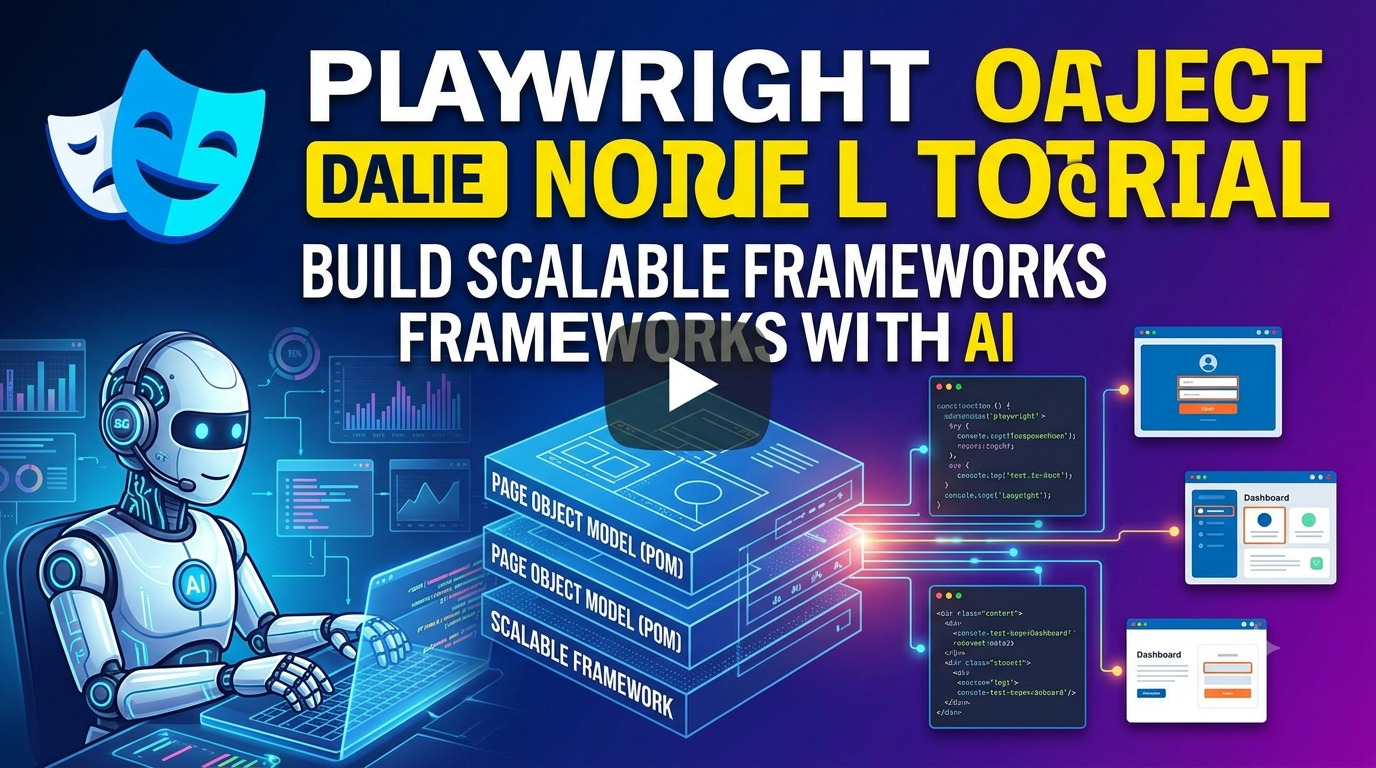
This tutorial builds a working Playwright Page Object Model from scratch, using real JavaScript files rather than a folder diagram alone. It covers a first page object, the test that uses it, a shared base page class, how the Playwright Page Object Model pairs with the locator strategy covered earlier in this series, common mistakes that undermine the pattern, and where AI genuinely helps generate and maintain page objects as a project grows.
Before jump into full aticle explore these basic articles
Playwright Automation Testing with AI: Complete JavaScript & TypeScript Framework From Scratch
Playwright CI/CD setup with GitHub Actions and AI Complete Automation Testing Pipeline Guide
Playwright Locators Tutorial with Examples: Use AI to Build Better Test Automation
What Is the Playwright Page Object Model?
The Playwright Page Object Model, usually shortened to POM, is a design pattern that separates how a test interacts with a page from the test logic itself. Instead of a test file containing raw locators and clicks, a Playwright Page Object Model wraps each page’s elements and actions inside a dedicated class. The test file then reads almost like a description of user behavior, calling methods like login() or addToCart() rather than repeating the underlying locators every time.
Why Playwright Page Object Model Matters
Without a Playwright Page Object Model, a single UI change can mean editing the same locator in dozens of separate test files. With one in place, that same change happens in exactly one location, the page object itself, and every test that depends on it is fixed automatically.
This matters more as a suite grows. A project with ten tests can survive without much structure. A project with three hundred tests cannot, and the difference between a maintainable Playwright Page Object Model and an unstructured pile of test files is usually the difference between a team that trusts its test suite and one that has quietly stopped relying on it.
Building Your First Page Object
A page object is a class representing one page or one meaningful section of an application. Here is a login page object built using the locator strategy covered earlier in this series.
javascript
class LoginPage {
  constructor(page) {
    this.page = page;
    this.emailInput = page.getByLabel('Email address');
    this.passwordInput = page.getByLabel('Password');
    this.loginButton = page.getByRole('button', { name: 'Login' });
  }

  async goto() {
    await this.page.goto('/login');
  }

  async login(email, password) {
    await this.emailInput.fill(email);
    await this.passwordInput.fill(password);
    await this.loginButton.click();
  }
}

module.exports = { LoginPage };
Every locator lives inside this class, and every action a user can take on the login page becomes a method. Nothing about the login flow needs to be duplicated anywhere else in the project.
Writing a Test Using the Page Object
The corresponding test file becomes noticeably shorter and easier to read once it depends on the page object instead of raw locators.
javascript
const { test, expect } = require('@playwright/test');
const { LoginPage } = require('../pages/LoginPage');

test('user can log in with valid credentials', async ({ page }) => {
  const loginPage = new LoginPage(page);
  await loginPage.goto();
  await loginPage.login('user@example.com', 'password123');
  await expect(page).toHaveURL('/dashboard');
});
This is the core value of a Playwright Page Object Model in practice. The test describes what a user does, log in with valid credentials, without describing how each element on the page is found. If the login form’s markup changes, only LoginPage.js needs an update, not this test file or any other test that logs in as a setup step.
Creating a Base Page Class
Most pages in an application share behavior, waiting for the page to load, taking a screenshot on demand, or navigating to a relative URL. A base page class captures that shared behavior so every page object does not repeat the same boilerplate.
javascript
class BasePage {
  constructor(page) {
    this.page = page;
  }

  async goto(path) {
    await this.page.goto(path);
  }

  async takeScreenshot(name) {
    await this.page.screenshot({ path: `screenshots/${name}.png` });
  }
}

module.exports = { BasePage };
Individual page objects then extend this class instead of duplicating the same methods.
javascript
const { BasePage } = require('./BasePage');

class LoginPage extends BasePage {
  constructor(page) {
    super(page);
    this.emailInput = page.getByLabel('Email address');
    this.passwordInput = page.getByLabel('Password');
    this.loginButton = page.getByRole('button', { name: 'Login' });
  }

  async login(email, password) {
    await this.emailInput.fill(email);
    await this.passwordInput.fill(password);
    await this.loginButton.click();
  }
}

module.exports = { LoginPage };
This is what separates a Playwright Page Object Model that stays clean at scale from one where every page object slowly accumulates its own copy-pasted version of the same navigation and screenshot logic.
Combining Playwright Page Object Model with Strong Locators
A Playwright Page Object Model is only as reliable as the locators inside it. Wrapping a brittle CSS selector inside a well-organized class still leaves a brittle test, it just hides the fragility one layer deeper. The locator priority order covered in the companion Playwright locators tutorial, role first, then text, then label, then CSS, then XPath as a last resort, applies just as much inside a page object as it does in a standalone test.
In practice, this means every method added to a page object deserves the same locator scrutiny as a locator written directly in a test file. A Playwright Page Object Model does not fix bad locator choices. It simply determines how much rework is needed when one eventually breaks, one file instead of twenty.
Scaling a Playwright Page Object Model Across Multiple Pages
A single page object is easy to justify. The real value of a Playwright Page Object Model shows up once a second, third, and tenth page object join the project, and the pattern needs to hold together without every file reinventing its own structure.
Consider adding a dashboard page object that depends on a successful login, a common real-world case.
javascript
const { BasePage } = require('./BasePage');

class DashboardPage extends BasePage {
  constructor(page) {
    super(page);
    this.welcomeHeading = page.getByRole('heading', { name: 'Welcome back' });
    this.logoutButton = page.getByRole('button', { name: 'Log out' });
  }

  async isLoaded() {
    return this.welcomeHeading.isVisible();
  }

  async logout() {
    await this.logoutButton.click();
  }
}

module.exports = { DashboardPage };
A test can now chain both page objects together, describing a full user journey without a single raw locator appearing in the test file itself.
javascript
test('user can log in and see the dashboard', async ({ page }) => {
  const loginPage = new LoginPage(page);
  const dashboardPage = new DashboardPage(page);

  await loginPage.goto();
  await loginPage.login('user@example.com', 'password123');
  await expect(await dashboardPage.isLoaded()).toBeTruthy();
});
This is what a Playwright Page Object Model looks like once it actually scales. Each page object stays focused on one page, the base class handles what they share, and a test file reads as a sequence of real user actions across multiple pages rather than a wall of individual locator calls.
Managing Test Data and Fixtures with Playwright Page Object Model
Page objects describe how to interact with a page. They should not also decide what data to use, since mixing the two makes both harder to reuse. A cleaner pattern keeps test data separate and passes it into the page object’s methods.
javascript
const testUsers = require('../test-data/users.json');

test('user can log in with a standard account', async ({ page }) => {
  const loginPage = new LoginPage(page);
  await loginPage.goto();
  await loginPage.login(testUsers.standard.email, testUsers.standard.password);
  await expect(page).toHaveURL('/dashboard');
});
This keeps a Playwright Page Object Model focused purely on page interaction, while test data lives in its own dedicated files and can be reused across many different test cases without duplication.
Common Playwright Page Object Model Mistakes
Building a single page object for the entire application. A page object covering every screen in one massive file defeats the purpose of the pattern and becomes just as hard to maintain as no structure at all.
Putting assertions inside page objects. Page objects should describe actions and expose state, not decide whether a test passes or fails. Keeping expect() calls in the test file, not the page object, keeps responsibilities clean.
Duplicating navigation logic across page objects. This is exactly what a base page class exists to prevent, and skipping it usually means the same three lines of navigation code copied into a dozen files.
Letting page objects grow without a base class. As a Playwright Page Object Model expands, shared behavior that was not centralized early tends to stay scattered permanently, since refactoring it later touches every existing page object.
Mixing test data directly into page object methods. Hardcoding credentials or input values inside a page object class makes it far harder to reuse that same class across different test scenarios.
Using AI to Generate and Maintain Page Objects
AI assistants add real, specific value to building and maintaining a Playwright Page Object Model, in ways that go beyond generating a single locator.
Generating a starter page object from a page’s HTML. Pasting a page’s markup and asking an AI assistant to draft a page object class typically produces a solid first pass already using role and text-based locators, matching the priority order covered in the locators guide, rather than defaulting to brittle CSS selectors.
Detecting stale methods after a UI change. When a page object’s methods stop matching the current page, an AI assistant can compare the old class against the new HTML and suggest exactly which methods need updating, rather than a developer manually stepping through each one.
Spotting duplication across multiple page objects. Pointing an AI assistant at several existing page object files and asking it to identify repeated methods is a fast way to find good candidates for a shared base class, especially in an older Playwright Page Object Model that grew without one from the start.
As with locators, every AI-generated or AI-modified page object still needs a human review pass before merging. AI accelerates building and maintaining the structure. It does not replace understanding why the structure exists in the first place.
Playwright Page Object Model Best Practices Checklist
Applying these consistently keeps a Playwright Page Object Model maintainable as a project grows rather than something the team quietly starts avoiding.
- Keep one page object per page or meaningful component, not one giant class covering the whole application.
- Extend a shared base class for navigation, screenshots, and other behavior common across pages.
- Favor role and text-based locators inside page objects, the same priority order used everywhere else in the suite.
- Never place assertions inside a page object. Actions and state belong there, pass/fail decisions belong in the test file.
- Keep test data separate from page object methods so the same class can support multiple scenarios.
- Review AI-generated page objects before merging, checking locator choices and method scope the same as any other code change.
- Refactor duplicated methods into the base class as soon as they appear, rather than waiting until the pattern repeats across many files.
Frequently Asked Questions
What is the Playwright Page Object Model in Playwright?
The Playwright Page Object Model is a design pattern that separates page interaction logic into dedicated classes, keeping test files focused on describing user behavior rather than repeating locators and low-level actions.
Do I need a Page Object Model for a small test suite?
Not necessarily. A handful of tests can work fine without one, but a Playwright Page Object Model becomes valuable quickly once a suite grows past a small number of tests, especially when the same page or flow is tested repeatedly.
Should assertions go inside a page object?
No. Page objects should expose actions and state, while assertions belong in the test file itself, which keeps responsibilities clean and makes page objects reusable across different test scenarios.
How is a base page class different from a regular page object?
A base page class holds behavior shared across multiple pages, such as navigation or screenshots, while individual page objects extend it and add the elements and actions specific to one page.
Can AI generate a full Playwright Page Object Model automatically?
AI can generate a strong starting point for individual page objects from a page’s HTML, but a full, well-structured Playwright Page Object Model still benefits from human review, particularly around locator choices and shared base class design.
What is the biggest mistake teams make with the Page Object Model?
Letting page objects grow without a shared base class, which leads to duplicated navigation and utility logic scattered across every page object in the project.
Conclusion
A working Playwright Page Object Model is less about following a folder structure correctly and more about consistently separating three concerns: what a user can do on a page, what data a test uses, and whether that test passes or fails. Keeping those three things in their own place, page object, test data file, and test assertion, is what makes a suite scale from a handful of tests to hundreds without becoming unmanageable.
AI tools now meaningfully speed up two of the more tedious parts of this pattern, drafting a first version of a page object from real page markup, and identifying stale methods or duplicated logic once a project has grown. Neither replaces understanding why the pattern exists, which is exactly what makes the reviewing step non-negotiable rather than optional.
This tutorial builds directly on the locator priority order from the Playwright locators tutorial and connects naturally to the Playwright CI/CD setup guide for running a Page Object Model suite automatically, and the Playwright Automation Testing with AI pillar for the broader framework this pattern fits inside. Readers newer to writing precise instructions for AI-assisted development, including the page object generation workflow covered above, will also benefit from the site’s prompt engineering guide, and anyone exploring the wider QA and AI space should check the AI for testers page.
For official reference material, Playwright’s own Page Object Model documentation covers the pattern in more depth directly from the source.
Explore more articles from AI blogs AI Learning Hub, AI tools pagesubscribe to AI Pathway Lab AI for Testers
Explore next related article Playwright Assertions Tutorial with Examples: Validate Your Tests with AI
- Prompt Engineering Guide – The Skill That Makes You 10x Faster
- What Are AI Agents? Complete Beginner Guide 2026
- 12 Proven Ways to Make Money With AI That Actually Work
- Claude AI to Earn Money Guide: 4 Proven Ways That Actually Work
- Free AI Courses with Certificate in 2026
- AI Test Case Generation Guide for QA Engineers Using ChatGPT and Claude