Table of Contents
Why Google I/O 2026 Matters for Every Professional
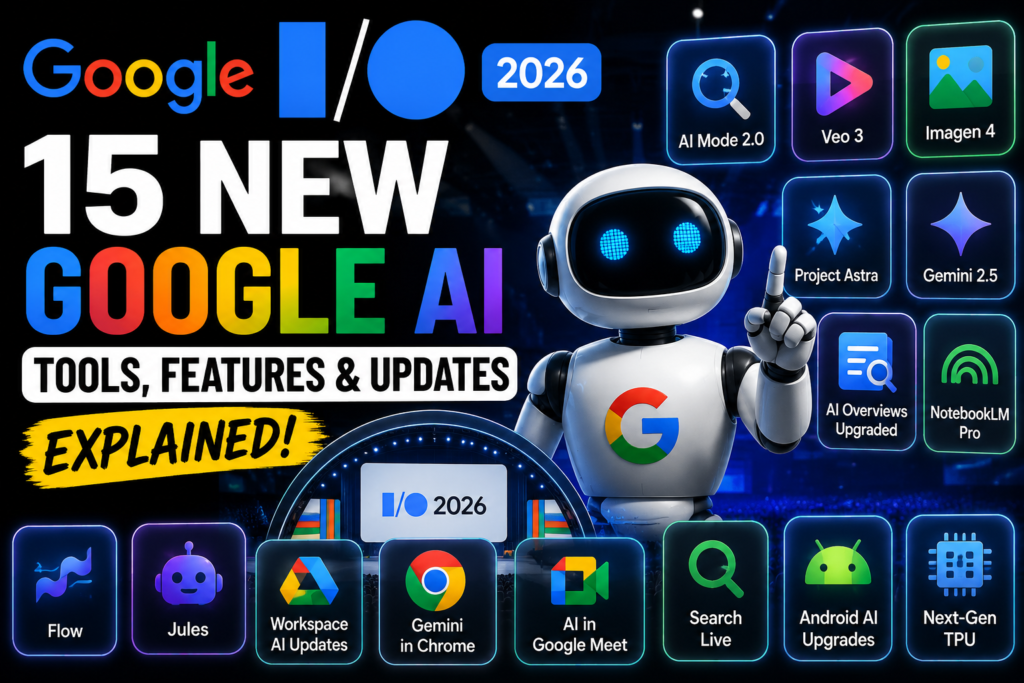
Google I/O 2026 just changed what Google AI tools look like for everyone. Not just developers. Not just researchers. Everyone.
I have been following AI announcements closely as part of my own transition from QA engineering toward AI engineering. Most product launches are incremental. A small improvement here, a new feature there. What Google announced at I/O 2026 is different. This felt like a genuine leap.
The theme running through every Google AI tools announcement was one word: agentic. Google is not just building AI that answers questions. It is building AI that takes actions, completes tasks and operates across your entire digital life without you having to manage every step.
I spent time going through every announcement from Google I/O 2026 so you do not have to wade through 24 separate blog posts. This guide covers the 15 most important Google AI tools and features, what each one actually does, how you can use it and who it is genuinely useful for.
If you are exploring how AI tools are reshaping work and careers, our AI Tools hub gives you the full picture beyond just Google AI tools.
What Is Google I/O and Why Should You Care?
Before diving into the specific Google AI tools, it helps to understand what Google I/O actually is.
Google I/O is Google’s annual developer conference where the company announces its biggest product updates, new AI models and platform changes for the year ahead. What gets announced at I/O shapes what billions of people use in Google Search, Gmail, Docs, Maps and Android for the next 12 months.
In 2026, the central message from Google was clear. We have moved beyond AI that just assists you. The new generation of Google AI tools helps you act. They complete tasks, make decisions within defined boundaries and work across multiple applications without you having to switch between them manually.
For professionals in every industry, understanding these Google AI tools is not optional anymore. These are the tools being embedded into the applications you already use every day.
The 15 New Google AI Tools From I/O 2026
1. Gemini Omni: Create Anything From Any Input
What is it: Gemini Omni is Google’s most powerful new AI model announced at I/O 2026. It represents a genuine leap forward in multimodal AI capability. Unlike previous models that handled text, images or video separately, Gemini Omni works across all input types simultaneously and can create anything from any starting point.
How to use it: You can feed Gemini Omni a video, an image, a document or just text and ask it to create something new. Edit a video using conversational language, generate a presentation from a rough idea or transform an image into a different style entirely. The natural language editing capability means you describe what you want rather than learning complex editing tools.
Who it is useful for: Content creators, marketers, designers, educators and anyone who needs to produce multimedia content without specialist technical skills. For Google AI tools users who work with video and images regularly, this is the most significant new capability in years.
Why it matters: Most Google AI tools handle one type of input well. Gemini Omni handles all of them together. That multimodal flexibility changes what a single person can produce without needing a team.
2. Gemini 3.5: Frontier Intelligence Built for Action
What is it: Gemini 3.5 is Google’s newest model family, combining frontier-level intelligence with the ability to take actions. The Flash version of Gemini 3.5 is the first in this new family designed specifically for complex, agentic workflows where the AI needs to execute tasks, not just generate text.
How to use it: Gemini 3.5 Flash is already powering Google Search’s AI Mode globally. You interact with it through the Gemini app, Google Search and any application built on the Gemini API. For developers, it is available immediately through Google AI Studio for building agentic applications.
Who it is useful for: Developers building AI applications will find Gemini 3.5 the most capable foundation model in Google’s lineup. For everyday users, the benefits arrive automatically through improved Google AI tools performance in Search and Workspace applications.
Why it matters: The shift from intelligence to action is the defining change in this generation of Google AI tools. Gemini 3.5 is not just smarter. It is built to do things, not just say things.
3. AI Mode in Google Search: The Biggest Search Upgrade in 25 Years
What is it: Google Search got its most significant upgrade since the search box was invented. AI Mode transforms how you search by making the search box intelligent. It now expands dynamically to give you space to describe exactly what you need, anticipates your intent and offers AI-powered suggestions that go well beyond simple autocomplete.
How to use it: Instead of typing three keywords and scanning results, you describe your actual need in full sentences. Upload an image, attach a file or even share Chrome tabs as part of your search context. Search builds a custom response in the right format for your specific question, whether that is a table, an interactive visual, a step-by-step guide or a simulation.
Who it is useful for: Everyone who uses Google Search, which is most people on the planet. For professionals doing research, planning projects or trying to understand complex topics, this represents a genuinely new way of finding information. Among Google AI tools for everyday use, this reaches the widest audience by far.
Why it matters: One year after AI Mode launched in the US, Google reports users are shifting from keyword searches to natural language queries. This upgrade accelerates that shift globally and makes the Google AI tools ecosystem more accessible to non-technical users.
For more on how AI is changing how we find and process information, our Prompt Engineering Guide covers how to communicate effectively with AI systems.
4. Information Agents in Search: AI That Works for You Continuously
What is it: Information agents are a new class of Google AI tools built into Search that handle ongoing, recurring tasks rather than single questions. If you find yourself searching for the same type of information repeatedly, an Information agent can monitor, track and surface updates automatically.
How to use it: Tell Search about an ongoing task you manage regularly. Planning a house move, tracking job listings in a specific field, monitoring price drops on a product, and following a topic for research. The agent handles the repetitive searching and brings you what you need when it is relevant, without you asking every time.
Who it is useful for: Professionals managing ongoing research, career seekers tracking job markets, project managers monitoring multiple data streams and anyone who currently spends time on repetitive search tasks. This is one of the most practically useful new Google AI tools for knowledge workers.
Why it matters: Moving from reactive searching to proactive AI assistance is a fundamental shift in how Google AI tools work. Instead of you serving the tool, the tool starts serving you continuously.
5. Google Antigravity: The Agent-First Development Platform
What is it: Google Antigravity is Google’s development platform for building AI agents. At I/O 2026 it received significant upgrades that make it easier for developers to orchestrate complex, multi-step agents that work across different systems and data sources.
How to use it: Developers access Antigravity through Google AI Studio and the Google Cloud console. It provides the infrastructure for building agents that can access external data, use tools, make decisions and take actions across connected systems. Non-developers benefit from the agents built on top of it rather than using Antigravity directly.
Who it is useful for: Software developers, AI engineers and technical teams building enterprise AI applications. For those following AI engineering as a career path, understanding Antigravity is increasingly important as it becomes the foundation for enterprise Google AI tools deployment.
Why it matters: Antigravity represents Google’s bet that the future of software is not applications people use but agents that work on people’s behalf. The platform improvements at I/O 2026 bring that vision significantly closer to reality.
For a deeper understanding of how AI agents work and what they can do, our What Are AI Agents? The Complete Beginner Guide 2026 guide covers the fundamentals in plain language.
6. Google AI Studio Updates: Build Anything, No Experience Required
What is it: Google AI Studio is a browser-based development environment for building applications with Google’s AI models. At I/O 2026, it received major updates, including native Android vibe coding support, Google Workspace integrations and a new mobile app.
How to use it: Visit ai.google.dev to access Google AI Studio. The vibe coding feature lets you build Android applications by describing what you want in plain English rather than writing traditional code. The new mobile app means you can prototype and test AI applications from your phone. Workspace integrations let you connect AI Studio projects directly to Gmail, Drive and Docs.
Who it is useful for: Developers of all experience levels, QA engineers exploring AI-powered testing, students learning AI development and professionals wanting to build custom Google AI tools for their specific workflows. The vibe coding addition makes it accessible to people with a limited coding background.
Why it matters: Removing the technical barrier from AI development is one of the most significant trends in Google AI tools this year. When anyone can build an AI application from a description, the range of problems people can solve with AI expands dramatically.
7. Google Workspace AI Updates: Voice, Design and Intelligence in Your Daily Tools
What is it: Google Workspace, covering Gmail, Docs, Sheets, Slides, Drive and Meet, received a wave of new AI features at I/O 2026. New voice capabilities allow you to dictate and edit in Gmail, Docs and Keep using natural speech. A new design tool called Google Pics launched alongside updates to AI Inbox.
How to use it: In Gmail and Docs, activate voice mode and speak your content naturally. The AI transcribes, formats and in some cases drafts responses based on your spoken instructions. Google Pics integrates design capabilities directly into Workspace so you can create visual assets without leaving your document environment. AI Inbox continues to prioritise and summarise your email automatically.
Who it is useful for: Anyone using Google Workspace for work. For professionals who spend significant time in Gmail and Docs, the voice capabilities alone save meaningful time every day. For marketers and communicators who need quick visual assets, Google Pics removes a friction point that used to require a separate design tool.
Why it matters: Google Workspace and Google AI tools are embedded in the daily workflow of hundreds of millions of professionals. Each improvement compounds across that entire user base. These are not features you need to seek out. They arrive inside the tools you already use.
8. Universal Cart: Intelligent AI Shopping
What is it: Universal Cart is a genuinely new concept in how Google AI tools work for shopping. Rather than browsing multiple stores and managing separate carts, Universal Cart creates a single intelligent shopping cart that works across retailers. The AI handles comparison, availability checking and purchase optimisation automatically.
How to use it: Through Google Search and the Gemini app, describe what you want to buy. Universal Cart finds options across multiple retailers, compares prices and availability and lets you complete purchases without visiting each store separately. It is designed to handle the entire shopping workflow from discovery to checkout.
Who it is useful for: Anyone who shops online, particularly those buying from multiple retailers or researching purchases across different stores. For busy professionals, the time saved on comparison shopping is real and immediate.
Why it matters: Universal Cart signals Google’s intention to become the infrastructure layer for agentic commerce. As Google AI tools extend into purchasing decisions, the implications for how people shop and how businesses sell online are significant.
9. Intelligent Eyewear: Android XR Wearables
What is it: Google announced its intelligent eyewear, launching in autumn 2026. These are smart glasses running Android XR with Gemini built in. You can get directions, send texts, take photos and access Google AI tools without taking out your phone.
How to use it: Wear the glasses and interact through voice commands and the built-in display. Ask for directions and they appear in your field of view. Take photos by voice command. Get contextual information about what you are looking at. The Gemini integration means you have access to Google’s most capable AI directly in your eyeline.
Who it is useful for: Early adopters, professionals who need hands-free information access, field workers, technicians and anyone who finds phone interaction disruptive in their daily work. As Google AI tools move from screens into wearables, this represents an important direction for the whole industry.
Why it matters: The shift from phone-based to glasses-based Google AI tools interaction removes the most significant friction point in AI assistance. You do not have to stop what you are doing to get help.
10. Google Flow and Google Flow Music: Creative AI Collaboration
What is it: Google Flow is a creative AI tool for video production and storytelling. Google Flow Music is its counterpart for AI-assisted music creation. Both received significant upgrades at I/O 2026, including new agents, mobile apps and Gemini Omni integration.
How to use it: In Google Flow, describe the video you want to create. The AI generates footage, assembles sequences and helps you build complete video projects from text descriptions or rough concepts. Google Flow Music works similarly for audio, helping you compose, arrange and produce music with AI collaboration even without formal music training.
Who it is useful for: Content creators, video producers, musicians, marketers and educators creating multimedia content. Among Google AI tools for creative professionals, Flow and Flow Music offer capabilities that previously required specialist skills and expensive software.
Why it matters: Creative AI tools are democratising production at scale. The combination of Flow and Flow Music means a single person can now produce polished video and audio content that previously required a team.
11. SynthID and C2PA Content Credentials: Identifying AI-Generated Media
What is it: SynthID is Google’s digital watermarking technology for AI-generated content. C2PA Content Credentials is an industry standard for tracking how content was created and edited. Google expanded both at I/O 2026 to help people understand whether what they are looking at was made or modified by AI.
How to use it: SynthID watermarks are embedded invisibly in AI-generated images, audio and video created with Google AI tools. When you encounter content online, SynthID-compatible tools can detect the watermark even after editing or compression. C2PA Credentials attach a verifiable history to content, showing what tools were used to create or modify it.
Who it is useful for: Everyone who consumes online content, journalists, researchers, legal professionals and anyone making decisions based on digital media. For organisations using Google AI tools to create content, these features help establish transparency and trust.
Why it matters: As Google AI tools make AI-generated content indistinguishable from real content to the human eye, watermarking and credentialing systems become essential infrastructure for a trustworthy information environment.
12. Co-Scientist: AI Research Partner
What is it: Co-Scientist is a multi-agent AI partner built with Gemini and announced at I/O 2026 to help researchers accelerate scientific breakthroughs. It is designed to assist with hypothesis generation, literature review, experimental design and analysis at a scale no individual researcher could manage alone.
How to use it: Researchers access Co-Scientist through Google DeepMind’s research tools. It connects to scientific literature, helps formulate research questions, suggests experimental approaches and analyses results. The multi-agent architecture means different specialist agents handle different aspects of the research workflow simultaneously.
Who it is useful for: Academic researchers, pharmaceutical scientists, climate scientists, materials researchers and anyone doing systematic investigation. Among specialised Google AI tools, Co-Scientist represents one of the most significant contributions to professional research capability.
Why it matters: Scientific research moves slowly partly because individual researchers can only process so much information. Co-Scientist removes that bottleneck by handling the breadth of literature review and hypothesis testing at machine speed while researchers focus on the creative and judgment-intensive parts of discovery.
13. Gemini for Science: Tools for Scientific Exploration
What is it: Gemini for Science is a collection of AI tools and experiments designed to expand the scale and precision of scientific exploration beyond traditional research. It makes powerful scientific AI capabilities available to a wider audience than professional researchers alone.
How to use it: Through the Gemini app and Google AI Studio, users can access science-specific tools for modelling, simulation and analysis. Students can use it to explore complex scientific concepts interactively. Educators can use it to build dynamic learning materials. Researchers can access specialised models trained on scientific data.
Who it is useful for: Students, science educators, science communicators, amateur researchers and professionals in scientifically adjacent fields. These Google AI tools bring research-grade AI capability to people who were previously locked out by cost or technical barriers.
Why it matters: Scientific literacy matters at a societal level. When google ai tools make science more accessible and interactive, the quality of public understanding and the pipeline of people entering scientific fields both improve.
14. Android Halo: Your Agent in Your Status Bar
What is it: Android Halo is a new Android feature that brings your AI agent directly to your status bar. Instead of switching to an app or opening a separate interface to interact with AI, Halo keeps your agent visible and accessible at the edge of every screen you use.
How to use it: On supported Android devices, Halo appears as an ambient indicator in your status bar showing when your agent is active, what it is working on and allowing quick commands without leaving whatever app you are currently using. It is designed to make Google AI tools feel like a continuous presence rather than a separate tool you have to consciously activate.
Who it is useful for: Android users who use AI assistance regularly and want seamless integration into their existing workflow. For professionals managing multiple tasks who want AI support without constant app switching, Halo reduces the friction of accessing Google AI tools on mobile.
Why it matters: The ambient nature of Halo represents a shift in how Google AI tools integrate with daily life. Moving from deliberate tool use to always-available assistance changes the relationship between people and AI fundamentally.
15. Google AI Subscription Plans: Ultra, Pro and Plus
What is it: Google introduced a new $100 per month AI Ultra subscription tier at I/O 2026, alongside updated features for existing AI Plus and Pro subscribers. Ultra gives access to Google’s most powerful models, highest usage limits and first access to experimental Google AI tools as they launch.
How to use it: Subscribe through Google One. Ultra subscribers get access to Gemini Omni, the highest context windows, priority access to new features, expanded NotebookLM Plus capabilities and increased usage across all Google AI tools, including Flow, Flow Music and Deep Research Max.
Who it is useful for: Power users, professionals who rely heavily on google ai tools daily, researchers needing maximum model capability and organisations wanting to build on Google’s most advanced AI. The Plus and Pro tiers at lower price points serve casual to moderate users who need more than the free tier but do not need Ultra’s full capability.
Why it matters: The tiered subscription structure signals Google’s long-term monetisation strategy for google ai tools. Understanding what sits behind each tier helps users and organisations make informed decisions about which plan delivers genuine value for their specific use cases.
How These Google AI Tools Work Together
The most important thing to understand about the I/O 2026 Google AI tools announcements is how they connect.
Gemini 3.5 powers the intelligence layer. Antigravity provides the agent infrastructure. Google Workspace, Search, Android and Chrome deliver the experience to users through tools they already use. SynthID and Content Credentials build the trust layer underneath everything.
It is not 15 separate tools. It is one connected ecosystem of Google AI tools designed to work across your entire digital life, from the search box to the status bar to the smart glasses on your face.
For QA professionals and developers specifically, the combination of Google AI Studio, Antigravity and Gemini 3.5 creates a powerful development environment for building and testing AI applications. Our AI Tester Workflow That Makes You 10x Faster – Stop Manual Guide covers how these tools connect to automated testing and development workflows.
For career professionals wondering what skills these Google AI tools demand, our AI Learning Hub page maps out exactly how these developments change what employers are looking for.
Conclusion
Google I/O 2026 delivered the most comprehensive set of Google AI tools updates in the company’s AI history. From a new multimodal model that creates anything from any input to an agent that lives in your phone’s status bar, these tools represent a genuine shift in what AI assistance means in practice.
The honest take is that not every tool here will be relevant to every person. Gemini Omni matters most to creative professionals. Co-Scientist matters most to researchers. Universal Cart matters most to shoppers. Android Halo matters most to heavy Android users.
But the underlying direction matters to everyone. Google is moving its entire product ecosystem toward agentic AI. The Google AI tools you use today are becoming more capable, more connected and more autonomous with every release.
The best thing you can do right now is pick two or three of these Google AI tools that match your actual work and start using them seriously. Not as experiments. As real parts of your workflow.
The gap between professionals who understand these tools and those who do not is growing every month. I/O 2026 made that gap significantly wider.
For a broader view of how AI tools from across the industry compare, visit our 12 Best AI Chatbots in 2026: ChatGPT, Claude, Gemini & More Compared guide, which covers Google AI tools alongside tools from Anthropic, OpenAI and Microsoft.
Frequently Asked Questions

What are the most important Google AI tools announced at I/O 2026? The most significant announcements were Gemini Omni for multimodal creation, Gemini 3.5 for agentic workflows, the AI Mode upgrade in Google Search and Google Antigravity for building AI agents. These four set the foundation for everything else in the Google AI tools ecosystem going forward.
Are the new Google AI tools available for free? Several of the new Google AI tools are available on free tiers. AI Mode in Search is free for everyone globally. Basic Gemini app features remain free. Google AI Studio is free to access for developers. Advanced features like Gemini Omni, Deep Research Max and higher usage limits require paid AI Plus, Pro or Ultra subscriptions.
How do the new Google AI tools affect Google Workspace users? Google Workspace users get new voice capabilities in Gmail, Docs and Keep, the new Google Pics design tool and AI Inbox updates. These Google AI tools are being rolled out to Workspace subscribers and improve the daily workflow of anyone using Google’s productivity suite professionally.
What is the difference between Gemini Omni and Gemini 3.5? Gemini Omni focuses on multimodal creation, taking any type of input and generating any type of output with natural language editing. Gemini 3.5 focuses on agentic intelligence, executing complex multi-step tasks and workflows. Both are among the most powerful Google AI tools Google has released, but they serve different primary use cases.
Explore more on AI Pathway Lab:
- AI Tools
- Blog
- AI Automation & Workflows
- AI Testing Pyramid Explained, The Future of Intelligent Test Automation
- AI Workflows for QA Automation: How to Integrate