Table of Contents
Why This AI Tool Comparison Needed to Be Written
This AI tool comparison has been sitting in my drafts for weeks. Not because I did not have opinions. I had too many.
Every article I found online about comparing these tools felt the same. Feature tables. Pricing comparisons. Generic summaries that could have been written by any of the four tools being compared. None of them answered the question I actually had.
Which one is genuinely useful for real work?
I am a QA engineer, actively transitioning toward AI engineering. I use these tools daily. Not for fun experiments. For actual tasks — writing test cases, debugging automation workflows, drafting documentation, researching career paths and building content for this site.
So I ran this AI tool comparison the only way that makes sense. I used all four tools for the same real tasks over several weeks and paid close attention to what happened. The results genuinely surprised me. Not because one tool was dramatically better at everything, but because each one had a specific area where it quietly dominated everything else.
This AI tool comparison will tell you exactly what I found.
If you want to explore how these tools fit into broader AI workflows, our AI Tools page is a good place to start.
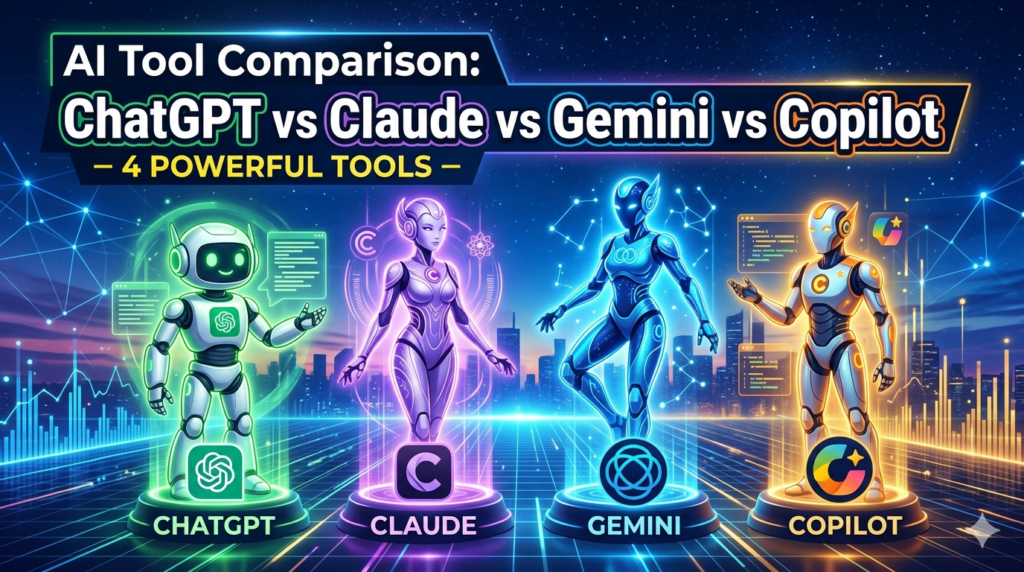
The Four Tools in This AI Tool Comparison
Before diving into results, here is a quick profile of each tool in this ai tool comparison.
ChatGPT by OpenAI: The tool that started the mainstream AI conversation. ChatGPT is the most recognised name in AI, and the one most people try first. GPT-4o powers the current version with strong reasoning, image understanding and a massive plugin ecosystem.
Read ull tutorial ChatGPT Tutorial for Beginners: Complete Step-by-Step GuideChatGPT Tutorial for Beginners: Complete Step-by-Step Guide
Claude by Anthropic was built with a focus on safety, nuance and long-context understanding. Claude handles large documents, complex reasoning and writing tasks with a tone that feels more natural than most AI tools. It is the tool I switched to after months of using others.
Read Claude Tutorial for Beginners: Master AI in 20 Minutes (Step-by-Step Guide)
Gemini by Google: Google’s answer to the AI assistant race. Gemini integrates deeply with Google Workspace and Search, making it powerful for anyone living inside the Google ecosystem. It can pull real-time information in ways that others cannot always match.
Read Google Gemini AI Tutorial: Best Beginner’s Guide
Microsoft Copilot is built into Microsoft 365 and powered by OpenAI models. Microsoft Copilot is designed for the workplace. If your organisation runs on Teams, Word, Excel and Outlook, Copilot works inside those tools directly.
Read our Claude AI to Earn Money Guide: 4 Proven Ways That Actually Work.
How I Ran This AI Tool Comparison
To keep this AI tool comparison fair, I used the same six task categories across all four tools:
- Writing and editing
- Research and summarisation
- Code and automation help
- Data analysis and spreadsheet tasks
- Brainstorming and strategy
- Workplace productivity tasks
I used the free or standard versions where possible to reflect what most people actually have access to. Where paid features made a meaningful difference, I noted it clearly.
This is not a sponsored AI tool comparison. No brand paid me to say anything. These are my honest observations after weeks of actual use.
Writing and Editing: Who Writes Best?
This was the category I cared most about for AI Pathway Lab content, and the results were clear.
Claude won this category decisively in my AI tool comparison.
The writing felt different from the first paragraph. Less robotic. More like something a thoughtful person would write rather than a tool generating tokens. When I asked Claude to write in a specific tone or match a style I described, it got there faster and stayed there more consistently than the others.
ChatGPT is strong here too. It is versatile, handles different formats well and follows instructions reliably. But there was a slight corporate polish to everything it produced that I kept having to edit out.
Gemini struggled the most with tone consistency in this AI tool comparison. The writing was technically correct but felt flat. It improved significantly when given very detailed prompts, but the baseline output needed more editing.
Copilot surprised me in this category. For editing existing documents inside Word, it was genuinely excellent. Suggesting rewrites, fixing grammar in context, and tightening paragraphs. But for generating fresh content from scratch, it felt limited compared to the others.
Winner: Claude
Research and Summarisation: Who Finds and Explains Best?
This is where Gemini earned its place in the conversation.
In this section of the ai tool comparison, Gemini’s real-time search integration was a genuine advantage. When I needed current information, recent statistics or up-to-date context, Gemini pulled it in directly and cited sources. The others either had knowledge cutoffs or required separate tools to access live information.
Claude handled long document summarisation better than anyone else in this ai tool comparison. I uploaded a 40-page policy document and asked for a structured summary. Claude returned a clean, accurate breakdown in seconds. The nuance it preserved was remarkable. It did not just extract headings. It understood which parts mattered.
ChatGPT performed solidly here. With web browsing enabled it competes closely with Gemini on current information. Without it, the knowledge cutoff shows.
Copilot’s research strength is very specific. Inside Microsoft 365, it can summarise meeting transcripts, pull insights from emails and synthesise information from your organisation’s own documents. That is genuinely powerful in a corporate environment. Outside that ecosystem, it is average.
Winner: Gemini for live research. Claude for deep document analysis.
Code and Automation Help: Who Codes Best?
This was the most interesting category in my ai tool comparison because I use these tools for real automation and testing work.
ChatGPT and Claude were very close here. Both produced accurate, well-commented code consistently. Both handled debugging well. Both understood context across a long coding conversation without losing track of what had been established earlier.
The difference appeared in edge cases. When I gave Claude a complex, multi-step automation problem involving QA workflows and asked it to reason through the approach before writing code, the reasoning was noticeably more structured. It caught potential issues before writing a single line.
ChatGPT moved faster. It went straight to code confidently. That is great when the answer is clear, but occasionally it produced confident, plausible-looking code that had subtle logical errors.
Gemini was surprisingly capable in this ai tool comparison for coding tasks but occasionally produced outputs that felt slightly less polished than Claude or ChatGPT.
Copilot inside Visual Studio Code and GitHub is excellent for autocomplete and inline suggestions. For conversational coding help, it is powered by the same models as ChatGPT, so performance is similar.
For real QA and automation use cases, explore our Earn Money With AI AI Automation Workflows guide and our dedicated AI Agents resources.
Winner: Claude for complex reasoning. ChatGPT for speed.
Data Analysis and Spreadsheet Tasks: Who Handles Data Best?
This section of the ai tool comparison came with a clear winner, I did not expect going in.
ChatGPT’s Advanced Data Analysis feature (Code Interpreter) is genuinely impressive. Upload a spreadsheet, ask questions in plain English, and it runs real Python code to analyse, visualise and explain the data. I used it on a test results dataset, and the insights it generated would have taken me an hour to produce manually.
Copilot inside Excel is also strong for data work, especially for professionals already working in spreadsheets daily. Natural language queries on Excel data, formula suggestions and automated insights all work reliably inside the Microsoft environment.
Claude handles data discussions well but does not run code on uploaded files in the same way as ChatGPT’s Code Interpreter in this ai tool comparison. It reasons about data thoughtfully, but the interactive analysis capability of ChatGPT’s tool is ahead here.
Gemini integrates with Google Sheets similarly to Copilot in Excel, making it useful inside the Google ecosystem for data tasks.
Winner: ChatGPT for standalone data analysis. Copilot for Excel users.
Brainstorming and Strategy: Who Thinks Best?
Every ai tool comparison needs a category for thinking, and this one is where I had the most fun testing.
Claude stood out again. When I asked strategic questions — how to grow AI Pathway Lab, how to structure a content cluster, what the risks of a particular approach were — Claude’s responses felt like talking to a thoughtful advisor. It pushed back when my assumptions were shaky. It offered perspectives I had not considered. It held complexity well without oversimplifying.
ChatGPT brainstormed prolifically. Ask for 20 ideas, and you get 20 ideas instantly. The quality varies, but the volume is there. For early-stage ideation, when you want quantity before quality, ChatGPT in this ai tool comparison is fast and useful.
Gemini brought a unique angle to brainstorming by connecting ideas to current trends and real-world examples it could verify. That grounding in the current context added value in this AI tool comparison that the others could not always match.
Copilot felt most constrained in this category. It is built for execution inside Microsoft tools, not open-ended strategic thinking.
Winner: Claude for deep strategic thinking. ChatGPT for rapid ideation.
For a practical example of how Claude helped build a real project from scratch, read our article on Claude AI Articles.
Workplace Productivity: Who Fits Into Your Work Day Best?
This is where the ai tool comparison gets practical for most readers.
Copilot wins this category without much competition — but only if your workplace runs on Microsoft 365.
Explore What Is Microsoft Copilot? A Beginner’s Guide to AI Assistant for Work and Business
The ability to summarise a Teams meeting, draft a reply to an email, generate a Word document from bullet points and analyse an Excel file all without leaving the Microsoft environment is genuinely transformative. I have seen what Copilot does inside a government organisation running on Microsoft tools, and it removes hours of manual work every week.
ChatGPT via the web interface or app is the most accessible everyday tool in this ai tool comparison. It handles a huge range of tasks without needing deep prompting knowledge, and the mobile app makes it available anywhere.
Claude’s Projects feature is excellent for ongoing work that needs context maintained across multiple sessions. Building something over weeks, like a content strategy or a career plan, Claude remembers the context and picks up where you left off.
Gemini is most productive inside Google Workspace. Gmail summarisation, Google Docs assistance, and Google Meet integration. If your work runs on Google, Gemini belongs in your daily workflow.
Winner: Copilot for Microsoft environments. Claude for ongoing complex projects.
For more on how AI agents are changing workplace productivity, explore our 10 AI Agent Tools Every Beginner Must Try article.
The Overall Winner of This AI Tool Comparison
Here is the honest result of this AI tool comparison.
There is no single winner. Each tool dominates a specific context. But if I had to choose one tool to keep and delete the others, I would keep Claude.
Here is why.
The quality of thinking, the nuance in writing and the way it handles complex, ambiguous tasks consistently impressed me more than any other tool in this ai tool comparison. It is not always the fastest. It is not always the most feature-rich. But it is the most reliably useful for the kind of deep, thoughtful work that actually moves things forward.
That said, the tool that surprised me most was Copilot. I underestimated it before this ai tool comparison. For professionals inside Microsoft 365, it is not just useful. It is transformative. The gap between what a Copilot-enabled worker and a non-Copilot worker can produce in a day is significant and growing.
Quick reference summary:
- Best for writing and content: Claude
- Best for live research: Gemini
- Best for data analysis: ChatGPT
- Best for the Microsoft workplace: Copilot
- Best for coding: Claude and ChatGPT tied
- Best overall for most professionals: Claude
Conclusion
This AI tool comparison started as a personal question and turned into something I wish I had found when I first started exploring these tools.
The honest answer is that all four tools are impressive. All four are genuinely useful. The mistake most people make is treating this as a competition where one tool wins and the others lose. That is not how AI tools work in practice.
The smartest approach is to understand what each tool does best and use it accordingly. Claude for writing, reasoning and long projects. Gemini, when you need current information fast. ChatGPT for data analysis and rapid iteration. Copilot if your work lives in Microsoft 365.
After weeks of this AI tool comparison, I have settled into a primary and secondary tool approach. Claude handles most of my daily work. ChatGPT steps in for specific data tasks. That combination covers almost everything.
What matters most is not which tool wins this AI tool comparison. What matters is that you start using one consistently and learn to prompt it well. A skilled user of any of these four tools will outperform someone using the most advanced tool badly.
Start with whichever fits your existing workflow. Master the prompting basics. Then expand from there.
Frequently Asked Questions
Which is better in this AI tool comparison, ChatGPT or Claude? Both are excellent, but they serve different strengths. Claude consistently produces more nuanced writing and handles complex reasoning better in this ai tool comparison. ChatGPT moves faster, handles data analysis with its Code Interpreter and has a larger plugin ecosystem. For most writing and thinking tasks, Claude edges ahead. For data work and speed, ChatGPT wins.
Is Microsoft Copilot worth it in this ai tool comparison? Yes, but only if your organisation uses Microsoft 365. In that context, Copilot is transformative. It works inside Word, Excel, Teams and Outlook directly. Outside the Microsoft ecosystem, it loses most of its advantage in this ai tool comparison.
Which AI tool is best for beginners according to this ai tool comparison? ChatGPT is the most beginner-friendly tool in this AI tool comparison. The interface is simple, the responses are reliably clear, and the free version is capable enough for most everyday tasks. Claude is a close second and arguably better for beginners who want thoughtful, nuanced responses.
Is Gemini useful in this AI tool comparison? Gemini’s biggest strength in this AI tool comparison is real-time information access and Google Workspace integration. For research tasks requiring current data, Gemini has a genuine advantage. For users inside the Google ecosystem, it is the natural choice.
Which AI tool is best for coding in this ai tool comparison? Claude and ChatGPT are closely matched for coding in this ai tool comparison. Claude handles complex reasoning and catches logical issues before writing code. ChatGPT moves faster, and its Code Interpreter is excellent for data analysis. For QA and automation tasks specifically, Claude’s reasoning depth gives it a slight edge.
Can I use all four tools for free in this AI tool comparison? All four tools offer free tiers. ChatGPT free gives access to GPT-4o with some limitations. Claude is capable of most tasks. Gemini Free integrates with Google services. Copilot free is available at copilot.microsoft.com. The paid versions unlock significantly more capability, but the free tiers in this AI tool comparison are enough to evaluate each tool properly.
Which tool won the AI tool comparison overall? Claude won the overall AI tool comparison for most professional use cases, particularly writing, reasoning and complex projects. However, Copilot won for Microsoft workplace environments, and ChatGPT won for standalone data analysis. The honest answer is that the best tool depends entirely on your specific work context.
How often should I switch tools according to this AI tool comparison? The best approach from this ai tool comparison is to pick one primary tool and master it before adding others. Constantly switching between tools reduces your ability to learn what any single tool does best. Once you are comfortable with your primary tool, add a secondary one for specific tasks where it clearly outperforms.
Will these results change as tools update? Yes. This AI tool comparison reflects performance as of mid-2026. All four tools update frequently, and capabilities shift with each release. The core strengths identified here are likely to hold for some time, but specific features and performance gaps will evolve. Check back as major updates are released.
Is this AI tool comparison biased toward Claude? Honestly, I use Claude as my primary tool, which could create bias. I tried to counter this by testing every tool on identical tasks with identical prompts. The writing and reasoning advantages I noted for Claude were consistent across multiple tests. But I encourage you to run your own AI tool comparison using tasks from your specific work. Your context may produce different results.
Explore more on AI Pathway Lab:
- AI Tools & News
- Prompt Engineering Guide
- What Are AI Agents? Complete Beginner Guide 2026
- 10 AI Agent Tools Must Try in 2026
- How I Built a Website from Scratch Using Claude AI
- Blog