Table of Contents
Why I Wrote This AI Chatbots Guide
AI chatbots have completely taken over how we work, write, research, and think through problems. I know because I use them every single day.
I am a techie and actively transitioning toward AI engineering. I have tested more AI chatbots than I care to admit, not as a hobby but because my work demands it. Knowing which AI chatbots actually perform and which ones just look impressive in a demo has become a professional skill in itself.
What frustrated me about most AI chatbot guides online was the lack of honesty. Every tool gets a glowing review. Nobody admits that some AI chatbots are genuinely better than others for specific tasks. Nobody shares the moments where a tool lets them down.
This guide is different. I tested all 12 of these AI chatbots for real work tasks. Writing, research, coding, data analysis, brainstorming, and everyday workplace productivity. The results were sometimes surprising, sometimes frustrating, and always useful.
By the end of this guide, you will know exactly which AI chatbots deserve your time and which ones you can skip depending on what you actually need to get done.
How Do AI Chatbots Work?
Before jumping into the list, it helps to understand what is actually happening when you use ai chatbots.
When you type a message into any of these AI chatbots, your text gets broken into small pieces called tokens. The AI model analyses those tokens, predicts the most likely next token based on everything it has learned from training data, and keeps doing that until a complete response is generated. That is the core of how all AI chatbots work.
But there is more happening behind the scenes. When you send a message, the app also sends your conversation history so the model remembers what was said earlier in the chat. Many AI chatbots also include hidden system instructions that shape how the model behaves, what tone it uses, and what topics it avoids.
Modern AI chatbots go even further by connecting to external tools. Web search lets them pull current information. Code interpreters let them run actual code. File readers let them analyse documents you upload. These tools are what separate basic AI chatbots from genuinely powerful ones.
The model behind the interface matters enormously. Two AI chatbots can look identical but produce very different results if one runs on a more capable model. This is why understanding what powers each tool helps you make smarter choices.
For a deeper understanding of how to get the most out of any of these AI chatbots, our Prompt Engineering Guide is essential reading.
How I Selected the Best AI Chatbots
Not every AI chatbot list is created equal. Here is exactly what I looked for when evaluating each tool.
AI intelligence. The model behind the app needs to produce consistently accurate, fluent, and useful responses. I was only interested in AI chatbots running state-of-the-art models.
Real work performance. I tested each of these AI chatbots on actual tasks I do daily. Writing articles, debugging test scripts, summarising documents, researching topics, and planning content strategy. Not toy examples.
Conversational quality. Do these AI chatbots handle follow-up questions well? Do they remember earlier parts of the conversation? Can they adapt based on feedback mid-conversation?
Available tools. Web search, image generation, code execution, and file analysis. The best AI chatbots combine a great model with genuinely useful tools.
Free tier quality. Most professionals start with free ai chatbots before committing to a paid plan. I paid close attention to what each tool offers for free versus what gets locked behind a paywall.
Usability. A powerful model wrapped in a confusing interface helps nobody. The best ai chatbots are both capable and easy to use from day one.
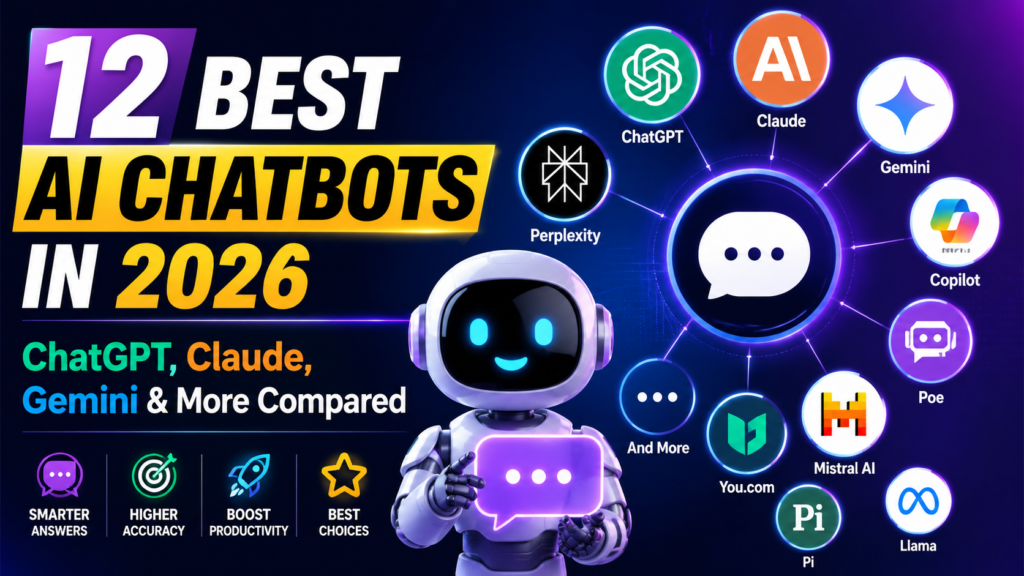
The 12 Best AI Chatbots at a Glance
| Tool | Best For | Standout Features | Free Tier Quality | Best For Professionals | Pricing |
|---|---|---|---|---|---|
| ChatGPT | Overall best | Deep Research, Agent mode | Good | Everyone | From $8/month |
| Claude | Writing and coding | Artifacts, long context | Good | Testers, Developers | From $17/month |
| Gemini | Google products | Workspace integration | Very Good | Marketers, Analysts | From $19.99/month |
| Copilot | Microsoft products | Microsoft 365 integration | Limited | IT, Business users | Free plus paid plans |
| Perplexity | Internet research | Citations by default | Good | Researchers, Analysts | From $17/month |
| DeepSeek | Open source reasoning | Free reasoning model | Very Good | Developers | Free |
| Grok | X integration | Real time X data | Limited | Marketers | From $30/month |
| Meta AI | Social media | Image and video generation | Very Good | Marketers | Free |
| Duck.ai | Data privacy | Anonymous AI access | Good | Legal, Healthcare | From $9.99/month |
| Pi | Personal use | Supportive conversation | Very Good | Everyone | Free |
| Le Chat Mistral | Context and memory | Connectors and Libraries | Good | Developers, Researchers | From $14.99/month |
| Poe | Multiple AI models | Side by side model testing | Limited | Power users, Developers | From $4.99/month |
The Best AI Chatbots: Full Reviews
ChatGPT: Best Overall AI Chatbot
AI Model: OpenAI GPT series- Explore Free ChatGPT
ChatGPT is where most people start their AI chatbot journey, and for good reason. It brought AI into the mainstream and has kept improving faster than almost anyone expected.
I use ChatGPT regularly alongside other AI chatbots, and its biggest strength is versatility. Whatever task I throw at it, ChatGPT finds a way to be useful. Writing, coding, research, data analysis, image generation, and voice conversations. No other tool in this list of ai chatbots covers that range as reliably.
The newer models automatically detect how complex your question is and decide whether to answer instantly or think harder before responding. That self-calibration makes ChatGPT feel smart in a way that many other AI chatbots do not.
The Deep Research feature is genuinely impressive. It clarifies what you need, runs multiple web searches automatically, and builds a sourced, detailed report that would take hours to produce manually. For professionals who need thoroughly researched answers fast, this feature alone justifies trying ChatGPT.
Agent mode spins up a virtual computer that ChatGPT can control to execute multi-step tasks. It is still experimental, but when it works, it feels like a glimpse of what ai chatbots will look like in two years.
One honest limitation: ChatGPT can be confidently wrong. It sometimes produces plausible-sounding information that turns out to be inaccurate. Always verify important facts independently.
Pros: Versatile, easy to use, excellent tools ecosystem. Cons: Can be confidently inaccurate, paid features add up quickly. Free Tier Quality: Good. Best For Professionals: Everyone. Pricing: Free plan available. From $8/month for ChatGPT Go. $20/month for ChatGPT Plus.
Claude: Best AI Chatbot for Writing and Coding
AI Model: Anthropic Claude series – Explore free Claude
Claude is my primary tool among all the ai chatbots I use daily and switching to it was one of the best decisions I made in my AI learning journey.
What makes Claude stand out from other ai chatbots is the quality of its thinking. When I ask a complex question, Claude does not just answer it. It reasons through it, flags assumptions, offers alternative perspectives, and sometimes pushes back when my thinking has a gap. That kind of intellectual honesty is rare in ai chatbots.
The writing quality is consistently excellent. Claude produces content that sounds like a real person wrote it rather than a machine generating tokens. When I ask it to edit something and not hold back, it delivers genuinely tough, useful feedback. Other ai chatbots tend to soften everything. Claude does not.
For coding, Claude handles complex multi-step problems with strong reasoning. I have used it extensively for QA automation scripts and test case generation. It understands context across long conversations better than most AI chatbots I have tested.
The Artifacts feature lets Claude generate interactive content alongside the chat. Dashboards, calculators, mini applications. It brings ideas to life in ways that text responses cannot.
One real limitation: Claude can hit context limits on very long conversations. Managing that context carefully is something you learn with experience.
Pros: Outstanding writing quality, deep reasoning, and honest feedback. Cons: Can hit context limits, slightly slower than some AI chatbots. Free Tier Quality: Good. Best For Professionals: Testers, Developers, Writers Pricing: Free plan available. Pro at $17/month. Max at $100/month.
For a detailed article, Claude AI to Earn Money Guide: 4 Proven Ways That Actually Work
Google Gemini: Best AI Chatbot for Google Products
AI Model: Gemini series – Try free Google Gemini
If your work life runs inside Google Workspace, Gemini is the ai chatbot that fits most naturally into your existing workflow.
Gemini integrates directly with Gmail, Google Docs, Google Drive, Google Calendar, and Google Meet. You can ask it to search your emails, summarise a document in Drive, or find a meeting from last week without leaving the chat interface. For professionals deep in the Google ecosystem, this integration removes real friction that other AI chatbots cannot touch.
The real-time search capability is Gemini’s other major strength among ai chatbots. When I need current information, recent statistics, or live data, Gemini pulls it directly from the web and cites sources clearly. Most other ai chatbots either have knowledge cutoffs or require separate tools to access live information.
The Canvas feature surprised me. It builds working applications from a text prompt, complete with AI features powered by the Gemini API. No technical setup required. That level of accessibility makes Gemini genuinely useful for non-technical professionals who want to build simple AI-powered tools.
Deep Research is also strong. It generates an editable research plan, runs the research and presents results in a readable format with expandable source sections.
One honest observation: Gemini’s response quality is inconsistent. On some queries, it is excellent. On others, it underperforms compared to leading ai chatbots. The Google Workspace integration compensates significantly for this inconsistency.
Pros: Excellent Google Workspace integration, strong real-time search. Cons: Inconsistent response quality across different query types. Free Tier Quality: Very Good. Best For Professionals: Marketers, Analysts, and Google Workspace users. Pricing: Free access to basic features. AI Pro at $19.99/month. AI Plus at $7/user/month.
Microsoft Copilot: Best AI Chatbot for Microsoft Products
AI Model: Copilot Microsoft
Microsoft Copilot is the AI chatbot that most enterprise professionals will encounter, whether they choose it or not. It is being embedded directly into Windows, Microsoft 365, and every major Microsoft application.
I work in a government organisation that runs entirely on Microsoft tools. Teams, Excel, Word, Outlook. Watching Copilot work inside those applications is genuinely impressive. Summarising a Teams meeting transcript, drafting an email reply in Outlook, and analysing an Excel spreadsheet with a natural language question. These are real-time savings that compound across a working week.
Copilot Vision lets you share your screen and have Copilot analyse what it sees. Troubleshoot an error, get guidance on a feature, or have it draft a reply to an email you are currently reading. Among workplace-focused AI chatbots, this capability is unique and genuinely useful.
The honest trade-off is that Copilot outside the Microsoft ecosystem is average. As a standalone ai chatbot competing with ChatGPT or Claude, it does not stand out. Its power comes entirely from the Microsoft integration.
For professionals whose organisations have not rolled out Microsoft 365 Copilot yet, the free version at copilot.microsoft.com gives a reasonable taste of what the full product offers.
Pros: Exceptional Microsoft 365 integration, Copilot Vision is unique. Cons: Limited value outside the Microsoft ecosystem. Free Tier Quality: Limited. Best For Professionals: IT professionals, Business users, Government workers Pricing: Free core chat available. Deeper Microsoft 365 integration requires paid Copilot plans.
Perplexity: Best AI Chatbot for Internet Research
AI Model: Perplexity.ai
Perplexity is not a general-purpose AI chatbot. It is a research specialist, and within that lane, it is outstanding.
Every response from Perplexity includes cited sources by default. No other mainstream ai chatbot does this as consistently or as cleanly. When I need information I can verify and trust, Perplexity is the first tool I reach for among my AI chatbots toolkit.
The three search modes give you control over depth. Basic Search returns a sourced answer fast. Research mode runs a deeper analysis across more sources and synthesises a detailed report. Labs mode turns that research into finished documents, slides or dashboards.
Spaces let you build a research workspace with uploaded files, links, custom instructions, and collaborators. For teams doing ongoing research on a specific topic, this makes Perplexity one of the most practically useful AI chatbots available.
The Discover feed curates popular searches into readable summaries across categories. It is a genuinely useful way to stay current on topics relevant to your work without spending time on multiple news sources.
Pros: Citations by default, excellent research depth, strong free tier. Cons: Less useful for creative or open-ended tasks. Free Tier Quality: Good. Best For Professionals: Researchers, Analysts, Content creators Pricing: Free tier available. Pro at $17/month. Max at $167/month.
DeepSeek: Best Free Open Source AI Chatbot
AI Model: DeepSeek models
DeepSeek caused genuine disruption in the ai chatbots world when it launched its R1 reasoning model. A Chinese company had built a model that matched or beat OpenAI at a fraction of the cost. The AI industry took notice.
As a free ai chatbot with strong reasoning capabilities, DeepSeek is hard to beat on value. You can toggle deep thinking on and off depending on whether you need quick answers or careful multi-step reasoning. Web search and image analysis are both available.
For developers specifically, the open source models are a major advantage. You can self-host DeepSeek on your own infrastructure, build custom applications and avoid paying API costs entirely. Among ai chatbots targeting developers and technical professionals, this flexibility is genuinely valuable.
The honest caveat is data privacy. DeepSeek is hosted in China and while it has privacy terms in place, professionals working with sensitive information should consider using the self-hosted version rather than the public app.
Pros: Free, strong reasoning model, open source flexibility. Cons: Data privacy concerns with the hosted version. Free Tier Quality: Very Good. Best For Professionals: Developers, Researchers Pricing: Free
Grok: Best AI Chatbot for X Integration
AI Model: Grok AI
Grok is AI’s AI chatbot built directly into X, formerly Twitter, with real-time access to everything being posted on the platform. For professionals who need to track conversations, trends, and breaking news as they happen, no other AI chatbot offers this kind of live data access.
The interface is clean and well-designed. Multiple thinking modes range from fast responses to heavy reasoning. You can attach documents, draw sketches as prompts, and connect Google Drive or OneDrive files directly. Grok Imagine generates images and short videos from text prompts.
The loosened content policies that Grok operates under have caused controversy. There have been documented incidents of harmful outputs and privacy concerns around shared conversations appearing in search engines. For personal experimentation, Grok is interesting. For serious professional use, approach with caution until these issues are more consistently resolved.
Pros: Real-time X data access, strong reasoning modes, clean interface. Cons: Content policy incidents, accuracy issues on some topics. Free Tier Quality: Limited. Best For Professionals: Marketers, Social media professionals. Pricing: Free plan available. SuperGrok at $30/month.
Meta AI: Best AI Chatbot for Social Media
AI Model: Meta AI
Meta AI is available directly inside WhatsApp, Instagram, and Facebook, which gives it a distribution advantage no other AI chatbot can match. Billions of people already use these apps daily. Meta AI is simply there when they need it.
The image and video generation capabilities are genuinely impressive. The short video feature, which Meta calls Vibes, produces eye-catching AI-generated content that social media professionals will find immediately useful for content creation and inspiration.
For straightforward conversational AI chatbot use, Meta AI performs decently. The response quality is solid for everyday questions. Voice mode works well for hands-free interactions. Web search activates when needed, even if you do not explicitly request it.
The privacy trade-off is worth noting. If you use Meta products, your data is already in Meta’s ecosystem. For professionals who use WhatsApp for work communication, having a capable ai chatbot built in without switching apps is a genuine convenience.
Pros: Built into WhatsApp and Instagram, excellent image and video generation. Cons: Limited productivity features, data privacy considerations. Free Tier Quality: Very Good. Best For Professionals: Marketers, Content creators, Social media managers. Pricing: Free
Duck.ai: Best AI Chatbot for Data Privacy
AI Model: Duck AI
Duck.ai is DuckDuckGo’s privacy-first wrapper around major AI models. If your work involves sensitive information and you are uncomfortable with where your prompts go, Duck.ai is the most privacy-conscious option among mainstream AI chatbots.
Your IP address and identifying metadata are stripped before your prompts reach the underlying AI providers. OpenAI or Anthropic sees that a request came from DuckDuckGo, but not from you specifically. AI providers are contractually required to delete information received from Duck.ai within 30 days.
You get access to multiple models, including GPT and Claude, through one interface, with conversation history stored locally on your device rather than on DuckDuckGo’s servers.
The trade-off is features. Duck.ai does not have the advanced tools that other ai chatbots offer. No code interpreter, no voice mode, no custom assistants. It is built for everyday AI queries where privacy matters more than power.
For professionals in healthcare, legal, or government environments where data sensitivity is paramount, Duck.ai fills a genuine gap that other ai chatbots do not address.
Pros: Strong privacy protection, multiple models in one interface. Cons: Lacks advanced features of other AI chatbots. Free Tier Quality: Good. Best For Professionals: Legal, Healthcare, Government workers Pricing: Free for basic models. DuckDuckGo at $9.99/month for advanced models.
Pi: Best AI Chatbot for Personal Use
AI Model: PI.ai
Pi is unlike any other AI chatbot on this list. It is not trying to be the most intelligent or the most feature-rich. It is trying to be genuinely supportive, and that is a different goal entirely.
Pi prefers short, conversational exchanges over long responses. It asks questions. It wants to understand what you are going through, not just what you are asking. For professionals dealing with career uncertainty, work stress or big decisions, having a thoughtful ai chatbot to think out loud with has real value.
The Discover feature offers guided conversation topics around mindfulness, productivity, and personal growth. Each topic starts with a brief overview and a suggested opening. The experience feels intentionally calm in a way that other AI chatbots simply are not designed to be.
Pi is not a productivity tool. Do not use it to write articles, debug code, or analyse data. But as a thinking partner for personal reflection and decision making, it offers something the other AI chatbots on this list do not even attempt.
Pros: Genuinely supportive, unique conversational experience. Cons: No productivity use cases, limited features. Free Tier Quality: Very Good. Best For Professionals: Everyone for personal reflection Pricing: Free
Le Chat Mistral: Best AI Chatbot for Context and Memory
AI Model: Le Chat Mistral
Le Chat is a French startup Mistral’s AI chatbot, and it is doing something genuinely interesting with long-term memory and context management that other AI chatbots have not fully solved yet.
The Connectors feature integrates with Gmail, Google Drive, Outlook, Notion, and Calendar. Rather than waiting for the model to search through years of files every time, it builds an index of your connected data for faster retrieval. You can toggle integrations on and off per conversation.
Libraries act as knowledge bases you build inside Mistral. Upload files, index web pages, and then activate that knowledge in any conversation. For professionals managing ongoing research or documentation, this makes Le Chat one of the most practically organised ai chatbots available.
The Memories feature is where Le Chat gets genuinely unique. It learns your preferences, work routines and goals over time. You can even ask it to tell you something about yourself based on what it has learned. It is experimental but fascinating and points toward where ai chatbots are heading.
Pros: Excellent memory and context features, strong privacy focus, fast. Cons: Advanced features are still in beta. Free Tier Quality: Good. Best For Professionals: Developers, Researchers, Knowledge workers Pricing: Free with limited features. Pro at $14.99/month.
Poe: Best AI Chatbot for Using Multiple Models
AI Model: Poe
Poe is an AI chatbot aggregator. Instead of subscribing to ChatGPT, Claude and Gemini separately, you access all of them through one interface using a compute points system.
The ability to chain models together is Poe’s most unique feature among ai chatbots. Generate a text prompt with GPT, send it to an image model, animate it with a video model — all in the same conversation thread. For power users and developers who regularly bounce between different ai chatbots, this workflow is genuinely efficient.
The bot creation marketplace lets anyone build and publish custom AI chatbots on top of any underlying model. There is even a creator revenue share programme, meaning a well-built bot can generate income if it gains traction.
The honest trade-off is depth over breadth. Poe gives you access to everything, but the individual tool interfaces from OpenAI, Anthropic, or Google are more polished and feature-rich than the Poe wrappers for those same models.
Pros: Access to all major models in one place, model chaining capability. Cons: Less polished than vendor-specific AI chatbots. Free Tier Quality: Limited. Best For Professionals: Power users, developers. Pricing: Free with limited daily messages, from $4.99/month.
Other Role-Specific AI Chatbots Worth Knowing
Beyond the main 12 ai chatbots covered above, these tools are worth knowing if you have specific professional needs.
For coding: GitHub Copilot integrates directly into your IDE for real-time code suggestions. Windsurf supports over 70 programming languages and 40 IDEs. Both are specialist ai chatbots built specifically for developers.
For marketing and sales: HubSpot Breeze Assistant brings AI chatbot capabilities directly into HubSpot CRM for lead research, content generation, and workflow automation. Salesforce Agentforce does the same inside the Salesforce ecosystem.
For more on how AI agents are transforming these professional workflows, explore our AI Agents guide.
What Is the Best AI Chatbot for You?
After weeks of testing all of these ai chatbots, here is my honest answer.
There is no single best AI chatbot for everyone. The right choice depends entirely on what you need to get done and where you spend most of your working day.
If you want one tool that does everything reasonably well, start with ChatGPT. If writing quality and deep reasoning matter most, switch to Claude. If your work runs on Google, Gemini belongs in your daily workflow. If your organisation uses Microsoft 365, Copilot is already the most practical ai chatbot for your context.
What I recommend to anyone starting their ai chatbots journey is simple. Pick one tool, use it consistently for two weeks, and learn to prompt it well. A skilled user of any ai chatbot will outperform someone jumping between five tools without mastering any of them.
The AI chatbots landscape is moving fast. Tools that feel basic today will have new capabilities next month. Staying curious, staying honest about what works, and continuing to learn is more valuable than finding the perfect tool.
Start with one. Master the basics. Then expand.
Conclusion
The best ai chatbots in 2026 are genuinely impressive tools that can transform how you work, research, write and think. I have tested all twelve of these ai chatbots for real professional tasks and each one has earned its place on this list for a specific reason.
The truth is that the AI chatbots gap between the top tools is narrowing every month. What separates good users from great ones is not which ai chatbots they use but how well they use them.
Pick the tool that fits your workflow. Learn to prompt it effectively. And stay curious about what these ai chatbots can do next.
For hands-on guidance on getting better results from any of these tools, our Prompt Engineering Guide is the best next step.
Frequently Asked Questions
What are AI chatbots and how do they work? AI chatbots are conversational tools powered by large language models that generate responses to text inputs. They work by breaking your message into tokens, predicting likely responses based on training data, and returning results in a conversational format. Modern AI chatbots also connect to tools like web search, code interpreters, and file readers to extend their capabilities beyond basic conversation.
Which AI chatbots are completely free to use? Several AI chatbots offer genuinely useful free tiers. DeepSeek, Meta AI, and Pi are completely free with no paid plans. ChatGPT, Claude, Gemini, and Perplexity all offer free tiers with reasonable capability limits. DeepSeek offers the strongest free reasoning capability among all the AI chatbots on this list.
Are ai chatbots safe to use for work tasks? Most mainstream ai chatbots are safe for general work tasks. For sensitive information involving personal data, legal documents, or confidential business content, use privacy-focused options like Duck.ai or self-hosted models. Always review your organisation’s data policies before using any ai chatbots with work information.
Which ai chatbots are best for beginners? ChatGPT and Claude are the most beginner-friendly ai chatbots. Both have clean interfaces, clear responses, and free tiers that are capable enough to learn on. Gemini is also accessible for beginners already using Google products.
Can ai chatbots replace human workers? AI chatbots are tools that enhance human productivity, not replacements for human judgment. The best ai chatbots handle repetitive, information-heavy tasks faster than humans. But creative thinking, ethical judgment, relationship building, and complex decision making remain human strengths that ai chatbots cannot replicate.
Which ai chatbots are best for coding? Claude and ChatGPT are the strongest general ai chatbots for coding tasks. GitHub Copilot and Windsurf are specialist coding tools that integrate directly into development environments. For QA and test automation specifically, Claude’s reasoning depth gives it a slight edge over other ai chatbots.
How often do ai chatbots get updated? Leading ai chatbots update frequently, sometimes monthly. OpenAI, Anthropic, and Google all release model improvements and new features regularly. This is one reason staying current with AI chatbot developments matters for professionals who rely on these tools daily.
What is the difference between AI chatbots and AI agents? AI chatbots respond to individual messages in a conversational interface. AI agents go further by taking multi-step actions autonomously, using tools, browsing the web, and completing tasks without constant human input. Some ai chatbots like ChatGPT now include agent modes that blur this distinction. For a full breakdown, visit our AI Agents guide.
Explore more on AI Pathway Lab:
- AI Learning Hub
- AI Tool Comparison: ChatGPT vs Claude vs Gemini vs Copilot
- Prompt Engineering Guide
- AI Agents Guide