Table of Contents
Website with Claude AI – What if I told you that you could build a fully functional, professional, live website — without writing a single line of code? Without hiring a developer. Without watching 50 YouTube tutorials. Without spending months learning HTML or CSS.
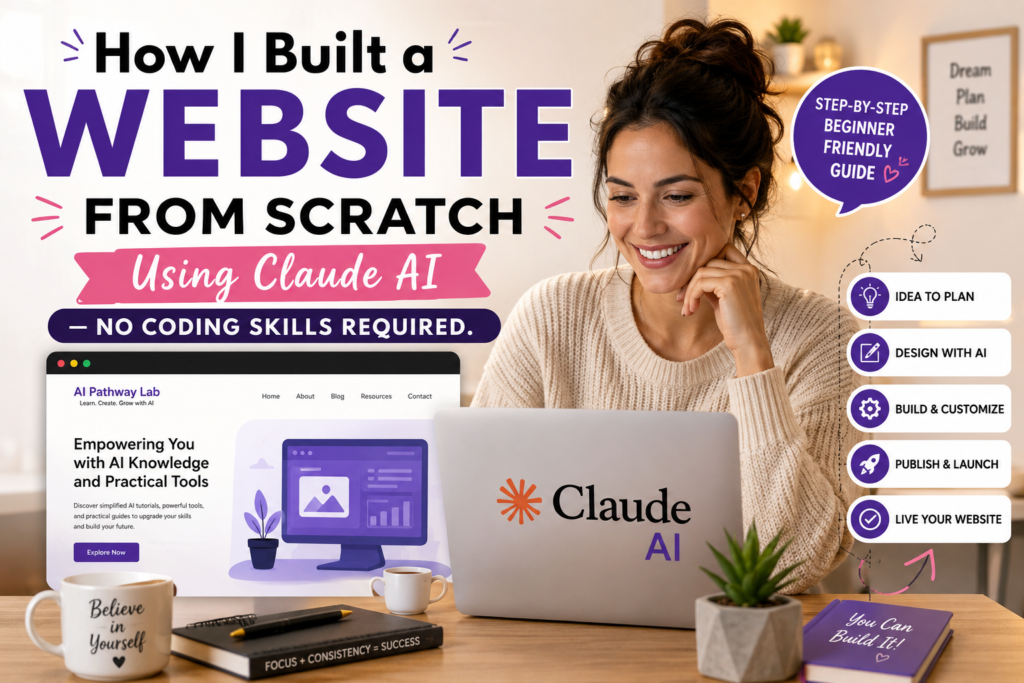
That is exactly what I did. And in this post, I am going to walk you through exactly how I built my website, AI Pathway Lab, from scratch using Claude AI — and what I learned along the way.
Why I Decided to Build My Own Website
I have been working as a Techie for a few years. I know software, I have AI professional AI courses, I understand systems. But web development? That was always someone else’s job.
When I decided to start sharing AI knowledge with the world, I knew I needed a website. A real one. Not a basic free template that looked like every other blog out there. I wanted something that reflected my brand, my voice, and my mission — helping people understand and use AI in their everyday lives.
The problem? Developer quotes were expensive. Freelancers wanted months of back-and-forth. And DIY website builders felt limiting and generic.
Then I thought — if I am going to teach people about AI, maybe I should actually use AI to build this.
So I opened Claude and started typing. Generally, I use a lot of Claude and ChatGPT for everyday work and for content
What Is Claude AI and Why Did I Use It?
Claude is an AI assistant built by Anthropic. It is one of the most capable AI tools available today — not just for answering questions, but for helping you build things.
Unlike basic chatbots, Claude can understand context, follow complex instructions, think through design decisions, and generate clean, structured code. Most importantly, it explains what it is doing — so even if you have no coding background, you can follow along, make decisions, and stay in control of your project.
That last part mattered a lot to me. I did not want to just copy-paste something I did not understand. I wanted to genuinely learn through the process.
Explore Claude Tutorial for Beginners: Master AI in 20 Minutes (Step-by-Step Guide)
How I Built My Website Step by Step
Step 1 – I Described My Vision
The first thing I did was tell Claude what I was trying to build. Not in technical terms. Just in plain English.
I said something like: “I want to build a professional website for my AI brand called AI Pathway Lab. The audience is people learning about AI. The tone should be educational but approachable. My brand colours are blue and dark navy.”
That was it. Claude immediately started asking the right questions — how many pages, what sections, what content I wanted to include. It felt less like talking to a tool and more like talking to a very patient, very knowledgeable collaborator.
Step 2 – We Planned the Structure Together
Before writing a single line of code, Claude helped me map out the full website structure. We landed on 13 pages:
- Home- Explore AI Pathway Lab
- AI Learning Hub- Explore AI Learning Hub
- AI Agents- Explore AI Agents
- Prompt Engineering
- AI Automation
- AI Tools
- AI for Testers: Explore AI for Testers
- Generative AI
- AI Blogs
This planning phase is something most people skip when building a website on their own. Having a clear structure from the beginning saved me hours of rework later.
Step 3 – Building Page by Page
Here is where the real work began. I asked Claude to build each page one at a time. I would describe what I wanted — the layout, the sections, the type of content — and Claude would generate the code. Try Claude AI Free
But here is what surprised me. I did not just take the first output and move on. I reviewed it. I asked questions. I said things like “Can you make the headline bigger?” or “This section feels too crowded, can we simplify it?” Asked 100 Questions to Claude AI for every page
Every back-and-forth taught me something. I started understanding why certain design decisions were made. I started developing an eye for what looked good and what did not.
Step 4 – Making It Mobile Responsive
This was a non-negotiable for me. Over 70 percent of web traffic today comes from mobile devices. If my website did not look good on a phone, it was already failing half its audience.
I told Claude I needed the website to be fully mobile responsive. It adjusted the code, explained what changes it made, and walked me through how to test it on different screen sizes.
This is the kind of thing that would take a beginner days to figure out alone. With Claude, it took one conversation.
Step 5 – The Mistakes (Yes, There Were Many)
I want to be honest here because most “I built a website” posts skip the hard parts.
Some pages I rebuilt three or four times. Not because Claude got it wrong — but because I changed my mind to being more specific, or I described what I wanted poorly, or I saw the result and realised I wanted something completely different.
There was one evening when I spent 4 to 5 hours trying to get a specific section to look exactly the way I pictured it in my head. I kept refining my prompts, trying different descriptions, testing different approaches.
And here is the thing — that frustration was actually the most valuable part of the entire experience. Because every time I struggled to explain what I wanted to Claude, I got better at prompt engineering. I learned that vague instructions give vague results. Specific, detailed prompts give exactly what you need.
That skill — the ability to communicate clearly with AI — is one of the most in-demand skills in the job market right now.
What I Learned About AI-Assisted Development
Building this website taught me things that no course, no certification, and no classroom ever could.
I am more confident now, not just in AI, but in myself.
More efficient at my 9-to-5 job. More productive. More creative.
And as a tech professional, I finally feel like I am not just watching the AI revolution happen.
I am part of it.
AI amplifies what you bring to it. Claude is extraordinarily capable, but it needs direction. The quality of what you get out depends entirely on the quality of what you put in. Your ideas, your decisions, your taste — those are what make the end result yours.
You do not need to understand every line of code. But you do need to understand what you are trying to achieve. The clearer your vision, the better your results.
Iteration is not failure. Every rebuild taught me something. Every refined prompt made the next one better. Progress in AI-assisted work is not linear — it is iterative.
This is how modern work gets done. Across industries, professionals are using AI to build things that previously required entire teams. The skill is not in knowing how to code. The skill is in knowing how to think, plan, and collaborate with AI effectively.
The Result: AI Pathway Lab Is Live
After several weekends and several late nights of work, my website went live. Thirteen pages. Fully mobile- responsive. My brand colours. My voice. My vision. And it’s my dream
And every single person who has seen it has asked the same question: “Did you hire someone to build this?”
No. I built it myself. With Claude.
Can You Do This Too?
Absolutely. You do not need a computer science degree. You do not need to know what HTML stands for. You do not need a big budget.
What you need is a clear idea of what you want to build, the patience to work through the process, and the willingness to learn from every iteration, mainly passion curiousity
If you are thinking about starting, start today. Not next week. Not after you learn more. Today.
The best way to learn AI is to use AI to build something real.
Final Thoughts
Building the AI Pathway Lab was one of the most empowering things I have done in my career. It proved to me — and I hope to you- that the barrier to building things in 2026 is not technical skill. It is the willingness to start.
And that distinction matters. Because the ideas were mine. The decisions were mine. The brand is mine.
AI is the most powerful tool available to us right now. The question is not whether you should use it. The question is what you are going to build with it.
Read more Articles from AI Pathway Lab
Before you leave, these guides go deeper on specific areas from this top 100 AI words glossary:
- Blog
- 12 Proven Ways to Make Money With AI That Actually Work
- AI Agents: How to Earn Money While You Sleep with Automation- 3 Proven Ways
- How to Become an AI Engineer – Your step-by-step career roadmap
- How to Build a No-Code AI Agent: From Zero to First Automation – Automating real tasks with AI
- 10 AI Free Courses You Will Regret – Where to learn this vocabulary in action
Is Claude AI good for creating websites?
Yes, Claude AI is excellent for creating websites, particularly for generating clean HTML, CSS, and JavaScript code from plain English descriptions. It can build complete static websites, landing pages, and web components without you writing a single line of code manually. For full web applications with databases and backend logic, Claude works best alongside a developer or no-code platform.
How to prompt Claude to build a website?
Be specific about what you want. A strong prompt includes the page type, target audience, colour scheme, sections needed, and any specific functionality. For example: “Build a single page portfolio website for a freelance designer with a dark navy background, hero section, services section, and contact form using HTML and CSS.” The more detail you provide, the better the output
Can Claude AI scrape websites?
Claude itself cannot scrape websites directly as it does not have live internet access by default. However developers can build web scraping tools using Claude API combined with Python libraries like BeautifulSoup or Playwright. Claude can write the scraping code for you to run locally or on a server.
Can Claude AI create a web app?
Yes, Claude can create functional web applications using HTML, CSS, JavaScript, and frameworks like React. It can build complete single page applications, dashboards, calculators, and interactive tools from a detailed description. For production web apps requiring authentication, databases, or server infrastructure, Claude Code or pairing with a developer is recommended.
What is the best AI to build a website with?
Claude AI, ChatGPT, and GitHub Copilot are the strongest options for AI-assisted website building in 2026. Claude excels at producing clean, well-structured code from natural language descriptions. GitHub Copilot is best for developers working inside VS Code. For no-code website building with AI, tools like Wix AI and Framer AI are the most beginner-friendly alternatives.
Is it worth building a website from scratch?
Yes, building from scratch gives you full control over performance, design, and functionality without platform limitations or monthly fees. With AI tools like Claude handling the coding, building from scratch is now far more accessible than it was even two years ago. For most small business sites and portfolios, a Claude-built custom site outperforms template builders in speed and flexibility.