Table of Contents
Something significant is happening inside QA teams right now — and most engineers are not talking about it yet. AI workflows for QA automation are quietly replacing the old way of doing things. Bug reports that used to sit in Jira for days are now being created, assigned, and escalated automatically. Test results that required a human to analyze are now summarized and sent directly to Slack before the stand-up even starts. Regression cycles that consumed entire sprints now run overnight without anyone touching a keyboard.
This is not the distant future. According to the QA Trends Report 2026, AI-first QA automation has reached 77.7% adoption across software teams globally — and the gap between those who have adopted it and those still working manually is widening every single quarter.
So what does this mean for you as a QA engineer? It means the skill that separates a $60K manual tester from a $116K+ AI QA engineer in 2026 is not just knowing Playwright. It is knowing how to connect Playwright inside intelligent AI workflows for QA automation that run, report, and respond without constant human intervention.
That is exactly what this guide covers — step by step, tool by tool, workflow by workflow.
What Are AI Workflows for QA Automation – and Why They Change Everything
Before diving into the integrations, it helps to understand what AI workflows for QA Automation actually means in practice — because the term gets thrown around a lot without real substance behind it.
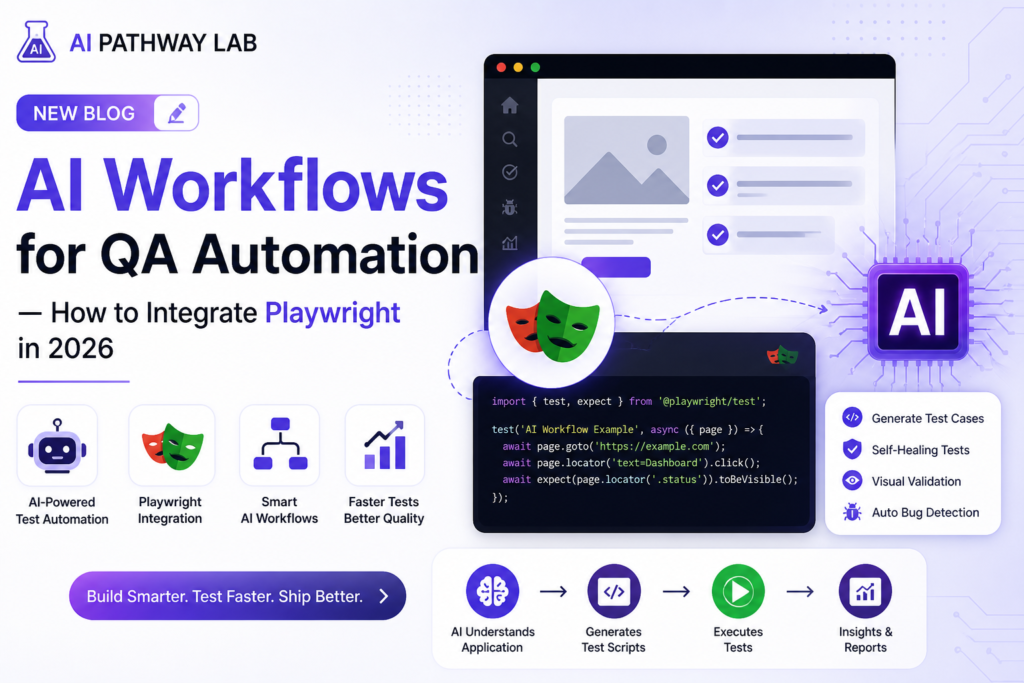
An AI workflow is a connected sequence of automated steps where artificial intelligence handles the decision-making, data processing, and communication between tools. In QA terms, that looks like this:
- Playwright runs your test suite inside a CI/CD pipeline
- Test results are automatically sent to Claude AI for intelligent analysis
- Claude identifies failure patterns and writes a plain-English summary
- Make.com sends that summary to your Slack channel and creates a Jira ticket
- Your team wakes up to a full overnight report — before anyone opens a laptop
That entire sequence runs without a single manual step. Agentic workflows are replacing manual coordination — and in 2026, QA automation is shifting from a cost center to a strategic enabler. The engineers building these workflows are the ones getting promoted, getting hired, and commanding the highest salaries in the market.
Key Shift: Traditional QA asks — “Did we test it?” Modern AI QA asks, “Did our workflow catch it, report it, and prevent it from happening again?” That difference in thinking is worth $40,000 a year in salary.
The 3 Layers of QA Automation That QA Engineers Need to Understand
Building powerful AI workflows for QA automation becomes much simpler once you understand the three distinct layers involved. Each layer serves a different purpose — and together they create a fully autonomous QA operation.
Layer 1 – Execution Layer (Playwright)
Playwright is where your tests actually run. It executes your end-to-end test scripts across Chrome, Firefox, Safari, and mobile devices simultaneously. Think of this layer as the engine of your QA workflow — it generates the raw data that everything else depends on.
What makes Playwright ideal for AI workflow QA automation integration is how cleanly it produces output. Test results, screenshots, traces, and performance metrics all come out in structured formats — JSON reports, HTML dashboards, and video recordings — that downstream AI tools can immediately consume and interpret.
https://aipathwaylab.com/playwright-automation-with-ai/
Playwright is one of the most powerful open source tools for automating web application testing.”
Layer 2 – Intelligence Layer (Claude AI)
This is where the real magic happens. Once Playwright produces test results, Claude AI steps in as your intelligent analyst. Rather than a QA engineer spending two hours reading through hundreds of test logs, Claude processes the entire output in seconds and produces actionable insights.
Specifically, Claude can identify which failures are genuine bugs versus environment issues, spot recurring patterns across multiple test runs, suggest root causes with clear explanations, and even draft the bug report ready to paste into Jira. This is the intelligence layer that transforms raw test data into business-ready information.
Claude AI is one of the best AI tools for QA Automation — helping testers write test cases, debug code and automate workflows faster.
Layer 3 – Orchestration Layer (Make.com / Zapier / n8n)
The orchestration layer is the glue that connects everything. Next-generation workflow platforms act as orchestration layers that connect automation across all your systems — one workflow definition triggers actions in multiple platforms, coordinates their execution, and handles exceptions when something breaks.
For QA teams, this means tools like Make.com, Zapier, and n8n connect your Playwright results to Claude AI, then push the analyzed output to Slack, Jira, email, or whatever communication tool your team uses. The entire chain runs automatically — triggered by a commit, a scheduled time, or a manual button press.
Make.com Tutorial: Build AI Workflows With Claude AI – Step-by-Step Guide
How to Build a No-Code AI Agent: From Zero to First Automation
Workflow 1 – Automated Bug Reporting with Playwright and Make.com
This is the first AI workflow for QA automation every engineer should build — because it delivers immediate, visible value to your entire team within hours of setting it up.
What This Workflow Does in QA Automation
Every time Playwright detects a failed test, this workflow automatically creates a formatted bug report in Jira, sends a Slack notification to your team channel, and emails a summary to your QA lead. No human involvement required at any step.
“Make.com is perfect for building AI Workflows for QA Automation without writing complex code — drag and drop automation at its best.”
Tools You Need
- Playwright — test execution and failure detection
- Make.com — workflow orchestration (free plan available)
- Jira — bug tracking destination
- Slack — team notification channel
- Integrate your AI Workflows directly with Jira to automatically create and update bug tickets without manual effort.”
“Get instant QA automation alerts, and reports sent directly to your team via Slack — keeping everyone updated in real time.”
How to Build It Step by Step
- Configure Playwright JSON reporter — add this to your playwright.config.ts to generate machine-readable output after every test run
- Create a Make.com account at make.com — the free plan handles up to 1,000 operations per month, which is enough to get started
- Build your scenario in Make.com — connect a Webhook trigger that receives your Playwright JSON results via HTTP request
- Add a Jira module — configure it to create a new issue with test name, error message, and screenshot URL automatically populated
- Add a Slack module — send a formatted message to your team channel showing which tests failed and a direct link to the Jira ticket
- Test your workflow — run a deliberate failing Playwright test and watch the bug report appear in Jira and Slack within seconds
⏱ Time to Build: This entire workflow takes approximately 45 minutes to set up for the first time. Once running, it saves your team an average of 3 to 5 hours per week in manual bug reporting effort — every single week, indefinitely.
Workflow 2 – Claude AI Test Analysis Integrated with Playwright CI/CD
This is the most sophisticated of the AI workflows for QA automation in this guide — and also the one that will genuinely impress hiring managers when you describe it in interviews.
What This Workflow Does
After every CI/CD pipeline run, your Playwright results are automatically sent to Claude AI. Claude analyzes the entire test suite output, identifies the three most critical failures, suggests probable root causes, and sends a plain-English morning report to your team. Your developers know exactly what to fix before they write a single line of new code.
The Claude AI Prompt That Powers This Workflow
You are a senior QA engineer analyzing automated test results.
Here are the Playwright test results from tonight’s CI/CD run:
[paste JSON results here]
Please provide:
1. Total passed, failed, and skipped — with percentage
2. Top 3 most critical failures ranked by business impact
3. Probable root cause for each failure
4. Whether failures look like genuine bugs or environment issues
5. Recommended immediate actions for the development team
6. Risk assessment — is it safe to release to production?
Keep the tone clear and non-technical enough for product managers to understand.
Paste this prompt into Make.com as part of a Claude AI API call — or run it manually each morning until you automate it fully. Either way, the insight you get back is significantly more useful than staring at raw test logs for an hour.
Prompt Engineering for QA Agents – Best Practices Complete Guide-10x faster Work
Workflow 3 – Scheduled Regression Testing with Zapier and Playwright
The third essential AI workflow for QA automation is scheduled regression testing — running your full Playwright test suite automatically at set times without anyone needing to trigger it manually.
What This Workflow Does
Every night at midnight, Zapier triggers your GitHub Actions pipeline, which runs your complete Playwright regression suite across all browsers. Results are collected, sent to Claude AI for analysis, and a formatted report lands in your team’s email inbox at 7am — ready for the morning stand-up.
Why This Matters for Your Career
Being the engineer who set up overnight regression testing that catches production issues before customers do is an incredibly powerful career differentiator. Real user interactions, performance metrics, and incident patterns are fed back into QA systems — failures seen in the field are automatically converted into new tests. This closed feedback loop is what separates reactive QA from proactive quality engineering — and it is exactly what senior roles are asking for in 2026 job descriptions.
Tools for This Workflow
- Playwright — full regression test suite
- GitHub Actions — CI/CD pipeline execution
- Zapier — scheduling and triggering (free plan for basic schedules)
- Claude AI — overnight result analysis
- Gmail or Outlook — morning report delivery
Best AI Workflow Tools for QA Automation — Honest 2026 Comparison
Choosing the right orchestration tool for your AI workflows for QA automation depends on your team size, technical skill level, and budget. Here is an honest comparison of the top options available right now:
| Tool | Best For | Free Plan | QA Use Case |
|---|---|---|---|
| Make.com | Visual workflow building | 1,000 ops/month | Bug reporting, result routing |
| Zapier | Simplest setup, most integrations | 100 tasks/month | Scheduled triggers, notifications |
| n8n | Self-hosted, unlimited free | Self-host free | Complex QA pipelines, full control |
| Claude AI | Test analysis and reporting | Free tier | Failure analysis, plain-English reports |
| GitHub Actions | CI/CD pipeline automation | 2,000 mins/month | Scheduled test execution |
🎯 Recommendation for Beginners: Start with Make.com for orchestration and Claude AI for analysis — both have free plans generous enough to build and run your first three workflows without spending anything. Once you have proven the value internally, upgrading becomes an easy business case to make.
Claude Tutorial for Beginners: Master AI in 20 Minutes (Step-by-Step Guide)
Real Impact – What AI Workflows Actually Deliver for QA Teams in 2026
Numbers matter when you are trying to convince your manager or demonstrate value in an interview. Here is what AI workflows for QA automation are delivering for real engineering teams right now:
- 40% reduction in manual bug reporting time — through automated Playwright failure detection and Jira ticket creation
- 3x faster root cause identification — Claude AI analyzes failure patterns in seconds versus hours of manual log review
- Zero overnight regression effort — scheduled pipelines run full Playwright suites while the team sleeps
- 35% reduction in integration maintenance costs — cross-system orchestration replaces point-to-point tool connections
- Release cycles shortened by 20–30% — teams catch critical bugs before they block deployment
Furthermore, the AI test automation tools actually delivering ROI for enterprise teams right now fall into three categories: visual validation like Applitools, autonomous test generation like Mabl, and self-healing execution. Integrating even one of these categories into your Playwright workflow immediately elevates your QA operation to an enterprise-grade standard.
How AI Workflow Skills Accelerate Your QA Career in 2026
Understanding AI workflows for QA automation is not just about doing your current job better — it is about positioning yourself for the roles and salaries that are emerging right now in the market.
Key trends in QA for 2026 include AI-first quality engineering at 77.7% adoption, QAOps integration, and multi-framework automation with 74.6% of teams using two or more frameworks. Engineers who sit at the intersection of these three trends — combining Playwright execution with AI analysis and workflow orchestration — are precisely what the highest-paying QA roles are looking for.
Concretely, adding AI workflow skills to your QA profile means:
- 💼 You qualify for QA Automation Lead and Quality Engineering Manager roles — not just individual contributor positions
- 💸 You can command $116K to $140K+ in the US market versus $65K to $85K for traditional automation engineers
- 🌍 You become competitive for fully remote global roles — because AI workflow skills are in short supply everywhere
- 🏆 You have a genuinely compelling portfolio story — not just “I wrote Playwright scripts” but “I built an autonomous QA operation”
For a deeper look at how the transition from Manual QA to AI QA Engineer works in practice, read our complete guide: Explore AI for Testers . And if you missed our foundational post on how AI changes QA at a broader level, start here: Free AI Courses with Certificate in 2026.
Your Next Steps: Build Your First AI QA Workflow This Week
You now have a complete picture of how AI workflows for QA automation work, which tools to use, and why this skill set is worth tens of thousands of dollars in career value. Here is what to do next — starting today:
- Today: Create a free Make.com account at make.com and explore the interface for 20 minutes
- Today: Explore our AI Tester Workflow That Makes You 10x Faster – Stop Manual — the Claude AI analysis prompt in this post is included along with 49 others
- This week: Build Workflow 1 — automated Playwright bug reporting into Jira via Make.com. It takes 45 minutes and immediately impresses your team
- Follow AI Pathway Lab AI for Testers— daily AI workflow tips, Playwright tutorials and QA career content posted every single day
Tell Us: Which of the three workflows in this guide would make the biggest immediate difference to your current QA role? Drop your answer in the comments below — we read and personally reply to every single one. 👇
AI Test Case Generation Guide for QA Engineers Using ChatGPT and Claude
AI Testing Pyramid Explained, The Future of Intelligent Test Automation
10 Best AI Based Testing Tools That Will Transform Your QA Career – Don’t Get Left Behind
Frequently Asked Questions
What is an AI Workflow for QA Automation?
An AI Workflow for QA Automation is a smart system that uses artificial intelligence to automatically plan, execute and report software testing tasks — reducing manual effort and saving hours of repetitive work every day.
Do I need coding skills to use AI Workflows for QA Automation?
Not necessarily. Tools like Make.com and Claude AI allow testers to build automation workflows without deep coding knowledge. Basic understanding of testing concepts is enough to get started.
How does Claude AI help in QA Automation?
Claude AI helps QA testers write test cases, review automation scripts, identify bugs and suggest improvements — acting as an intelligent thinking partner throughout the entire testing workflow.
Can AI Workflows replace manual QA testers?
No. AI Workflows enhance what testers do, handling repetitive tasks so testers can focus on complex testing scenarios, critical thinking and quality decisions that require human judgement.
Which is the best tool to start with for AI QA Automation?
Playwright combined with Claude AI is the best starting point. Playwright handles browser automation while Claude AI assists with writing and reviewing test scripts, a powerful combination for beginners and professionals alike